
How to Install Popconvert
Step-by-step guide to install the script on any e-commerce platform.
Step 1 — Create Your Account and Access Integrations
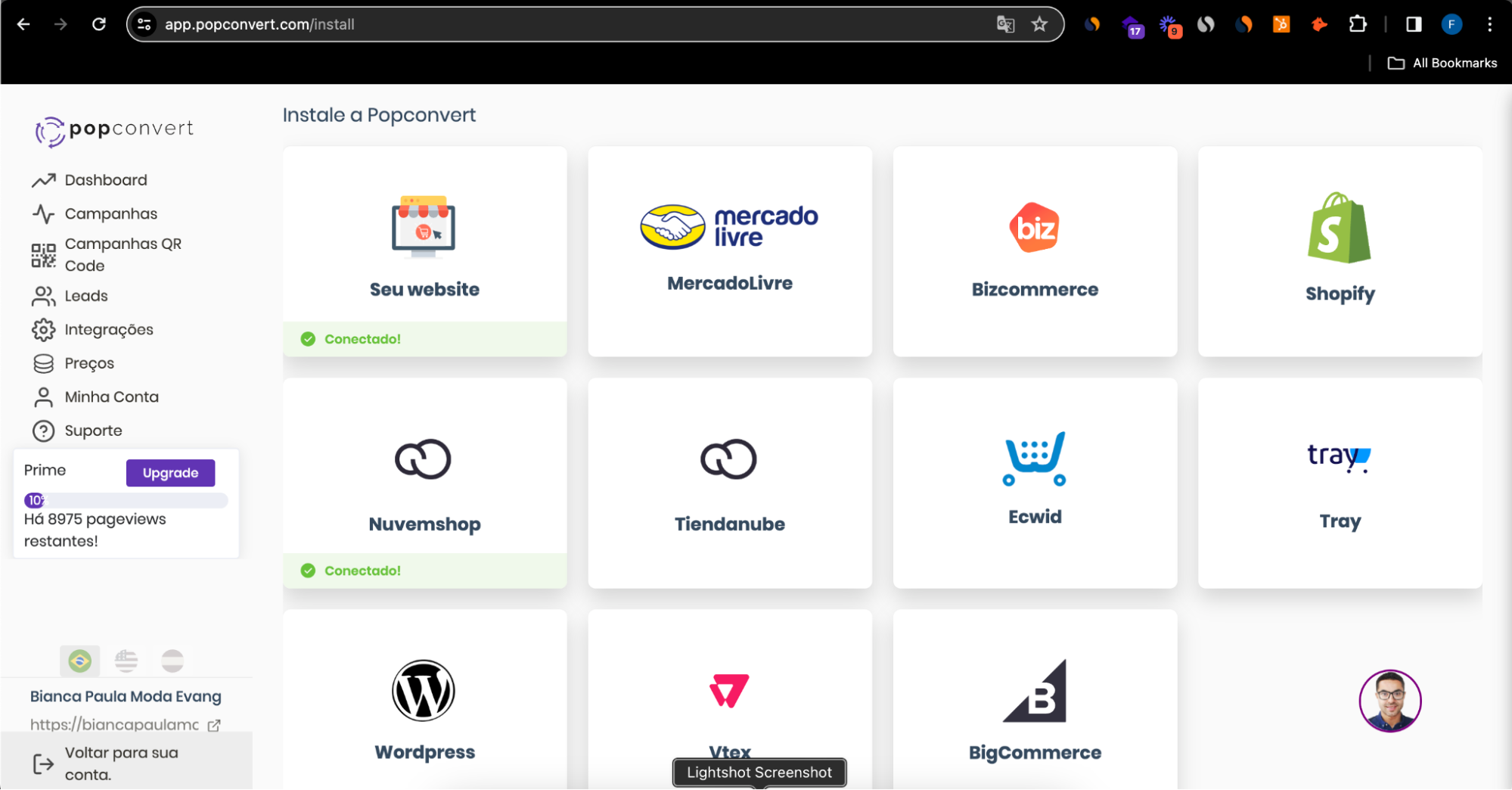
Go to www.popconvert.com, click "Free Trial" → "Create Account". In the dashboard, go to Integrations and select your e-commerce platform. If it's not listed, click "Your Website":
Step 2 — Install the Script
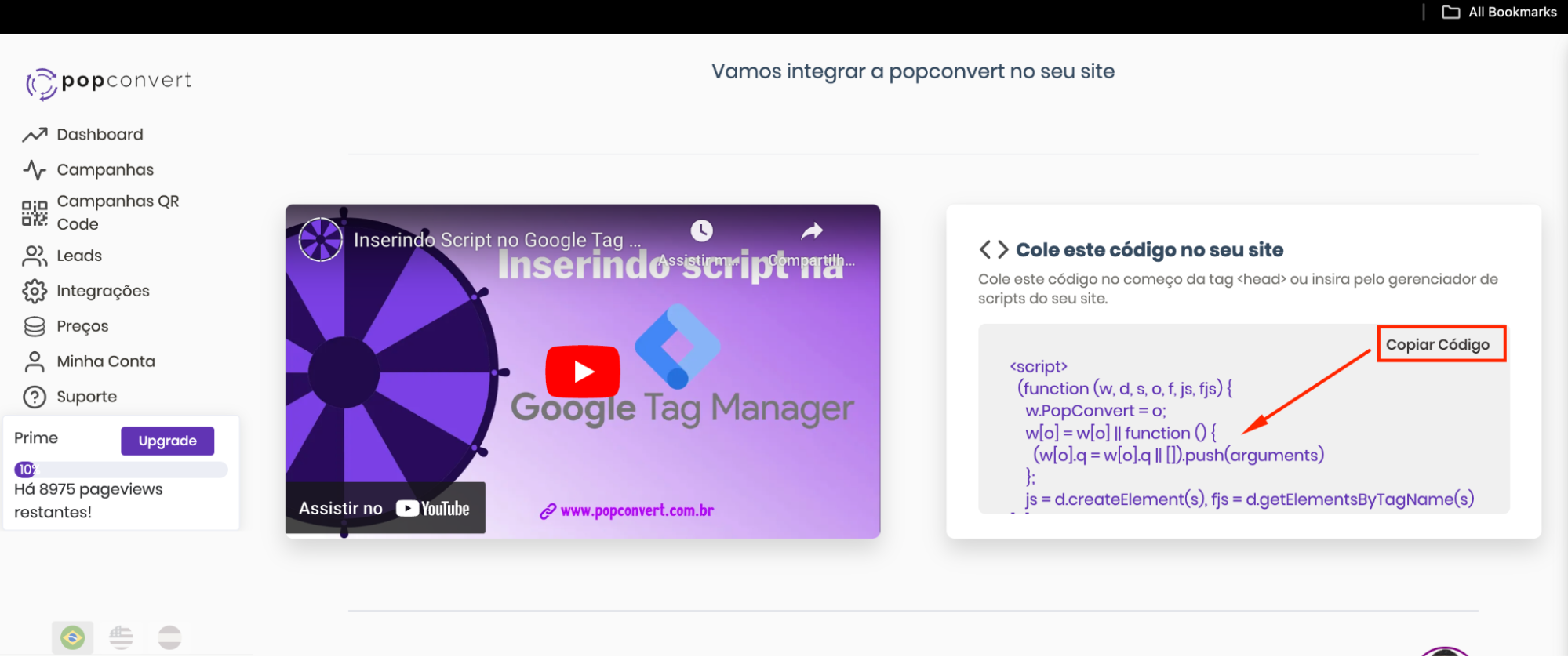
For platforms with an official app (Shopify, VTEX, Tray, Nuvemshop...), installation is automatic. For "Your Website", copy the script and paste it in the <head> or <footer>. You can also use Google Tag Manager — a video tutorial is available on the screen:
cdn.popconvert.Step 3 — Create Your First Campaign
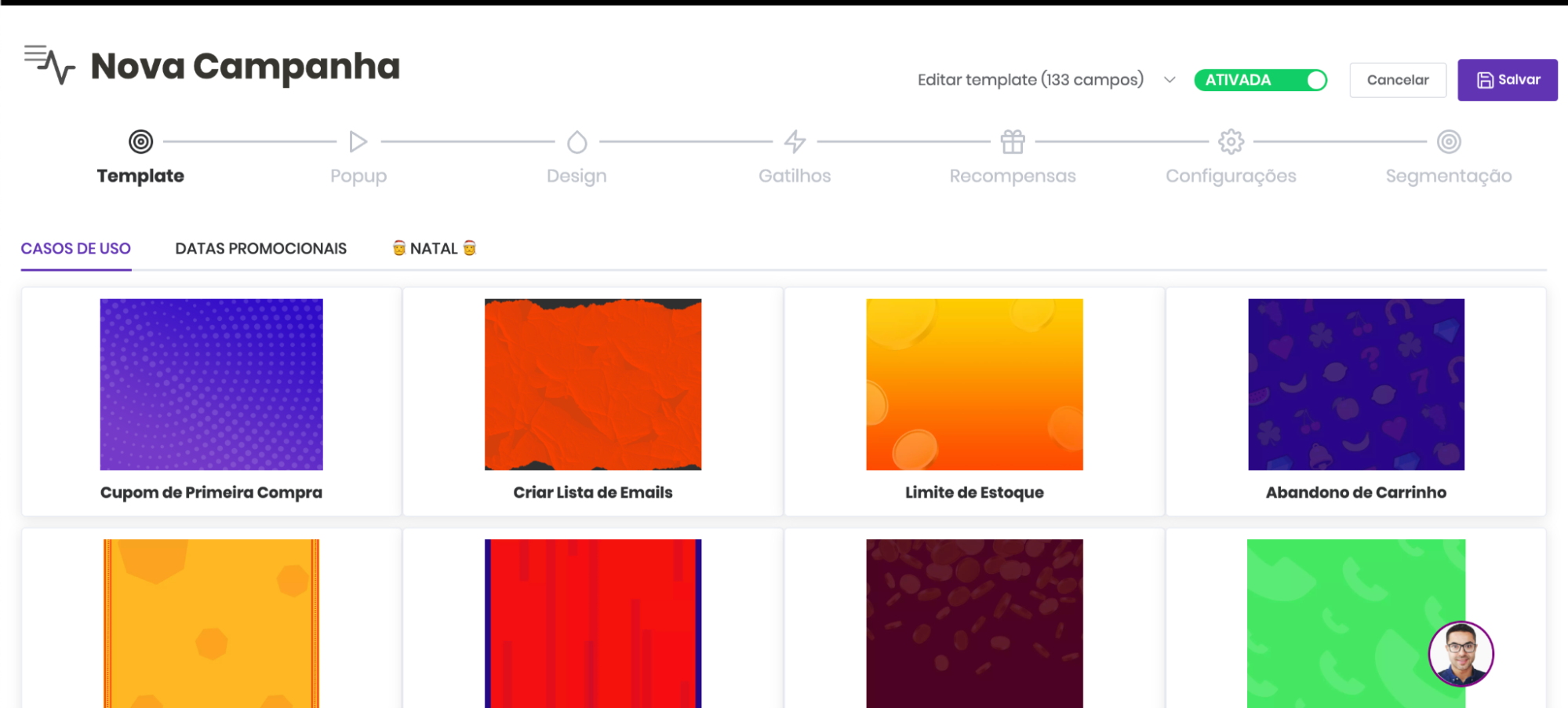
With the script installed, go to Campaigns → New Campaign. Choose a template from the gallery — filtered by Use Cases, Promotional Dates or seasonal themes:
Step 4 — Configure Rewards
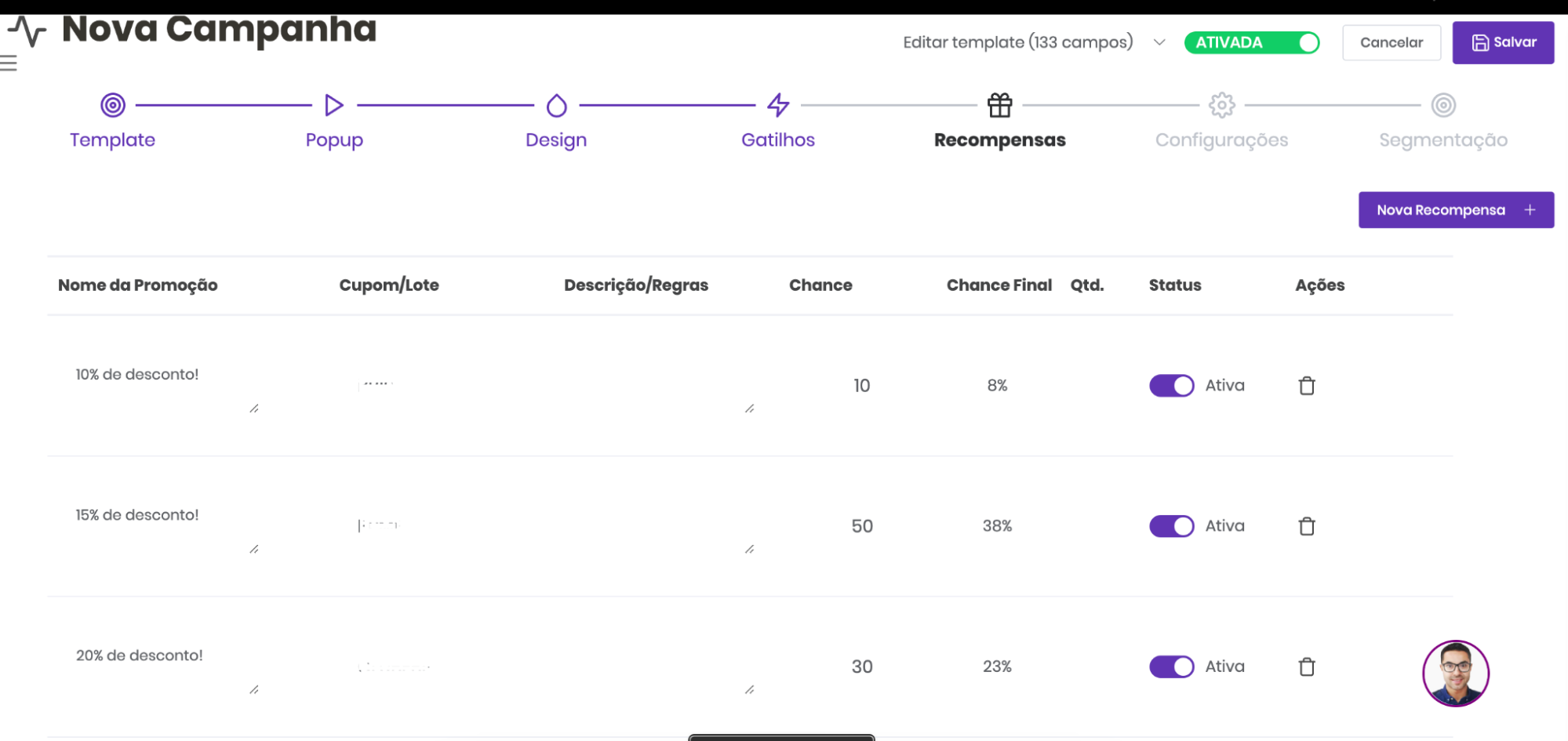
Create coupons in your e-commerce platform, export as .TXT (one coupon per line) and import in the Rewards tab. Set the promotion name, winning probability and activate each reward:
Save and activate the campaign. If you have questions, click the support icon in the bottom-right corner.
Not a Popconvert customer yet?