
Help CenterRewards
Rewards: Coupons, Gifts and Incentives
Configure discount coupons and incentives for gamified campaigns.
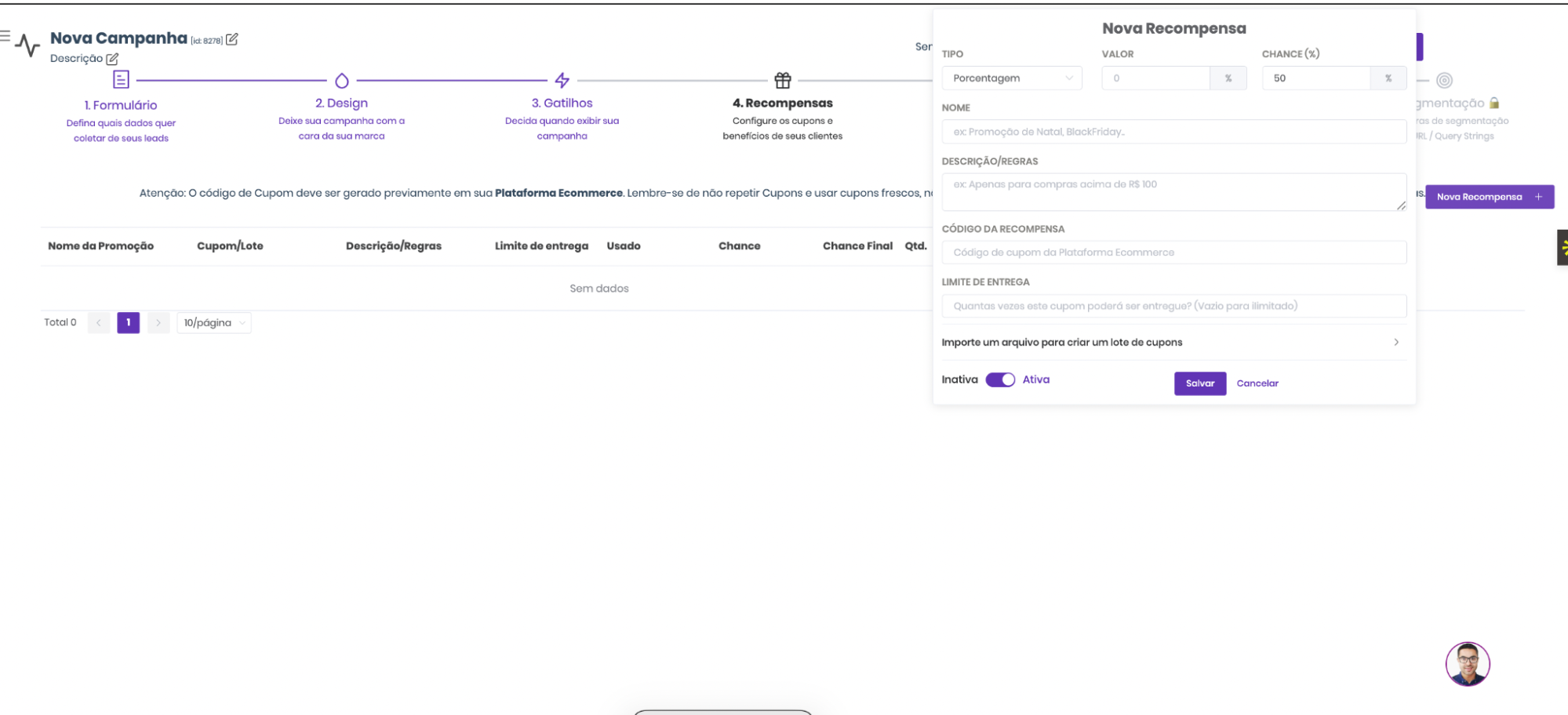
Reward Types
Percentage: Relative discounts (5%, 10%, 15%...)
Fixed Value: Direct discounts ($10, $50...) with minimum order condition.
Text: Non-monetary rewards like "Free Shipping", "Exclusive Gift", "7-day free trial".
How to Add a Coupon (most common case)
In most cases, you'll use a simple coupon:
- Create a discount coupon in your e-commerce platform (Shopify, VTEX, Nuvemshop, etc.)
- Copy the coupon code (e.g.
WELCOME10) - Access the Rewards tab in your Popconvert campaign
- Paste the code in the coupon field and configure the reward type
- Activate the reward and save
Bulk Unique Coupons (advanced)
If you need each visitor to receive a different, single-use coupon:
- Generate a list of unique coupons in your e-commerce platform
- Export as
.TXT(up to 5,000 coupons, one per line) - Access the Rewards tab in the campaign
- Upload the file and configure the probability for each prize
💡 Popconvert sends an email warning when bulk coupons are running low.
Important Rules
🚫 Duplicate coupons between campaigns are not allowed. Each code must be unique within your Popconvert account.
🚫 Never use Popconvert coupons outside the platform (emails, ads, social media) — it compromises conversion metrics and campaign traceability.
⚠️ Campaigns without active rewards are automatically deactivated.
Not a Popconvert customer yet?