Design

Campaign image specifications

Everything a designer needs to create the popup background and landing for Popconvert campaigns: sizes, where text and the game sit, what can be cropped, and templates to download.

How to use this page

  1. Pick the game and the device (desktop or mobile) and download the template as a transparent PNG or as an SVG.
  2. Place the template on a layer above your artwork and create the image at the size shown (double the popup size, to stay sharp on high-density screens).
  3. Don’t put important information under the text, field and game zones: the campaign elements cover them.
  4. Export the image without the template and upload it to the campaign’s background fields (one for desktop and one for mobile).

Bleed, safe zone and free area

The templates use graphic design conventions, with values measured on real Popconvert campaigns (not generic print values).

Text, field and game zones
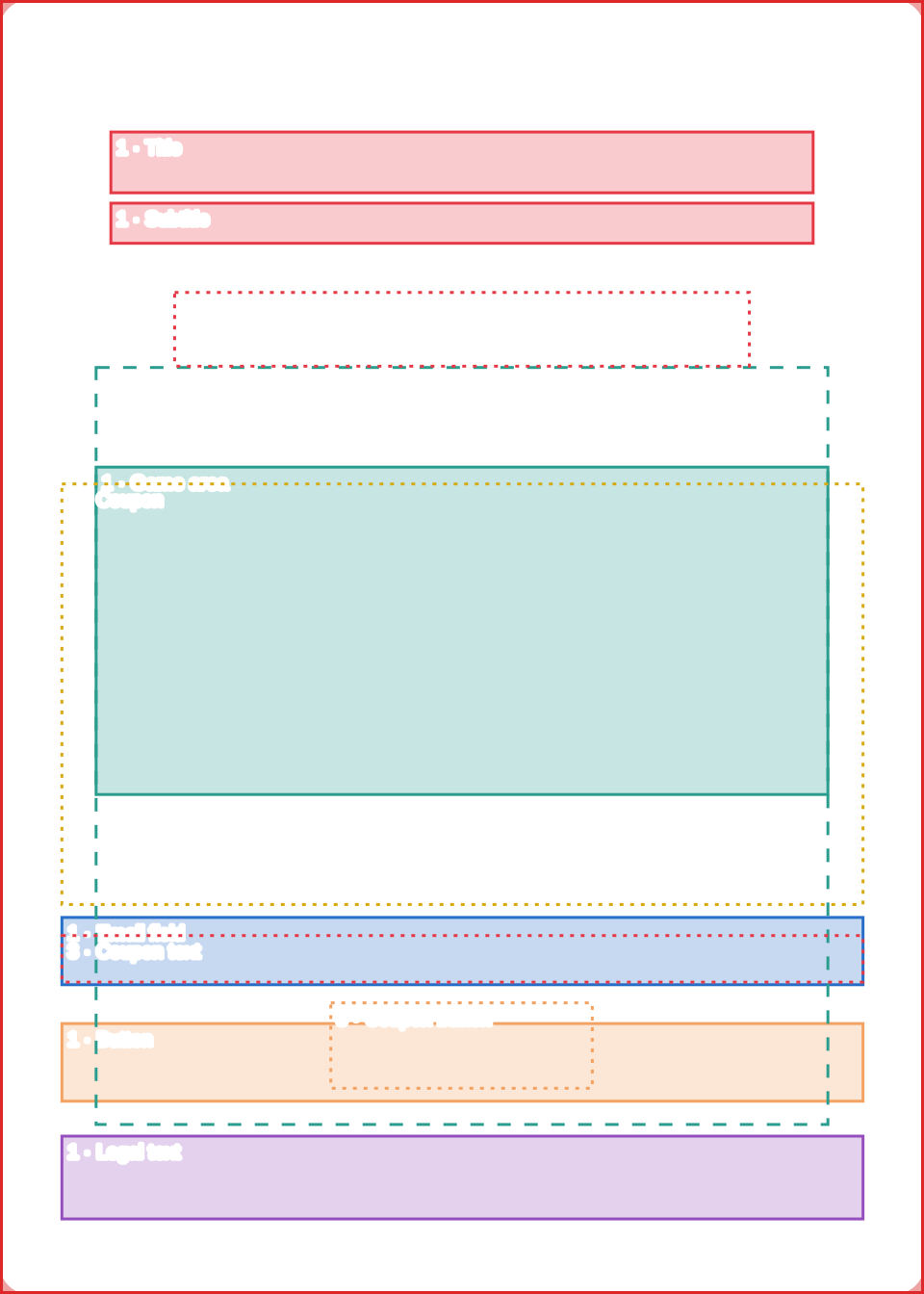
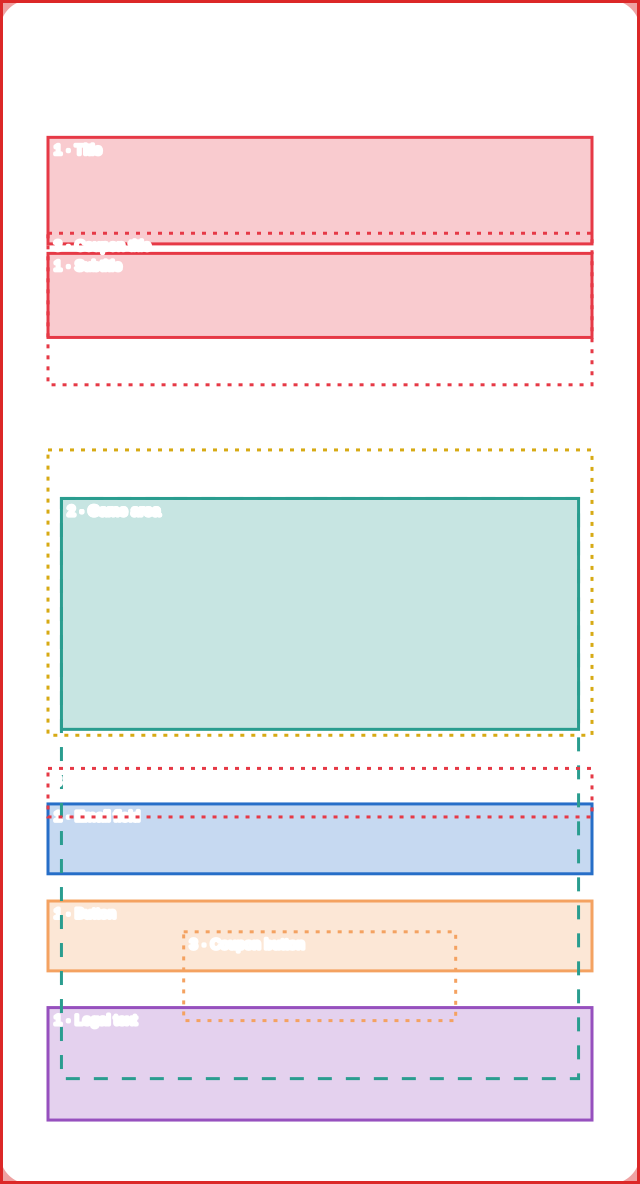
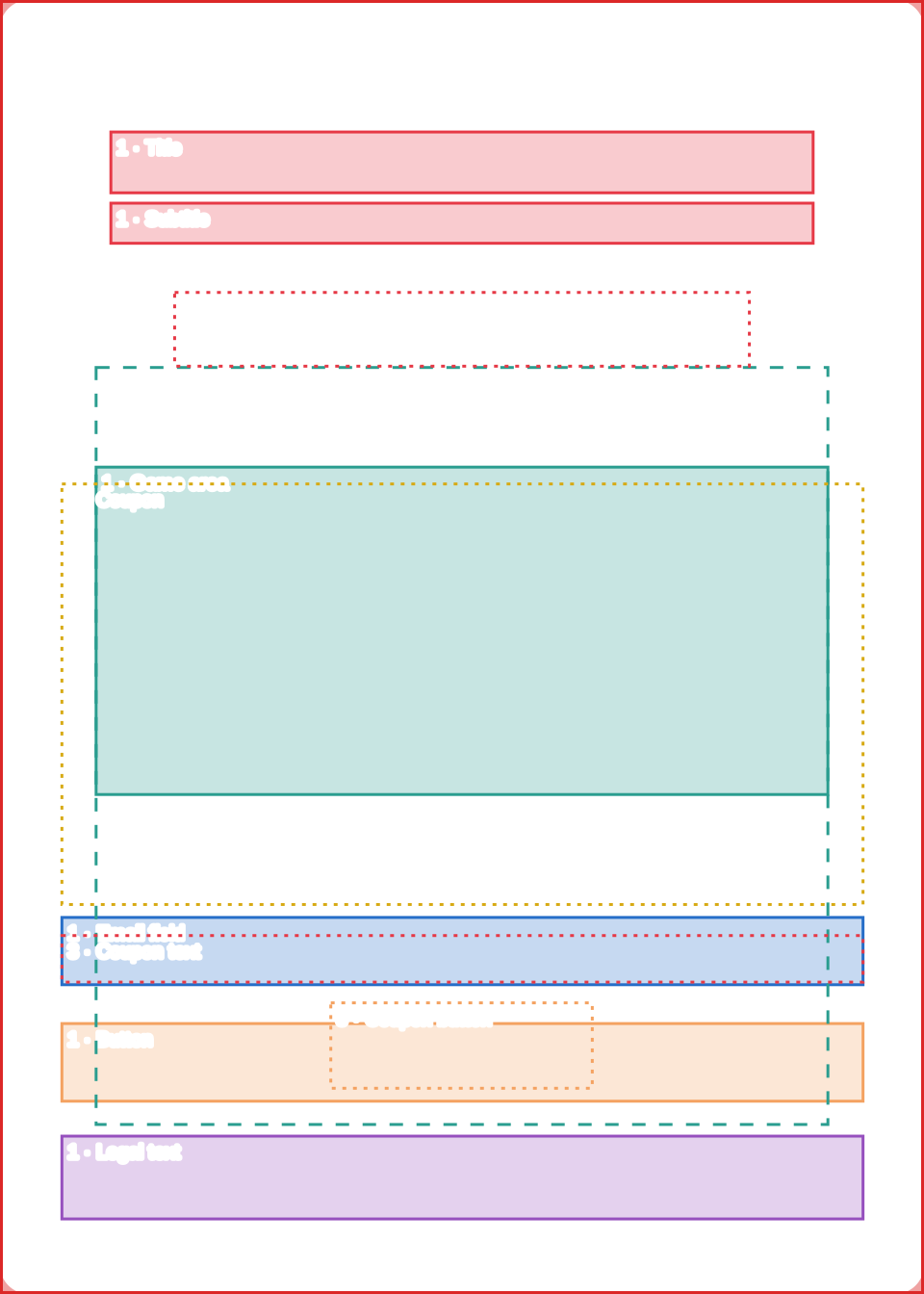
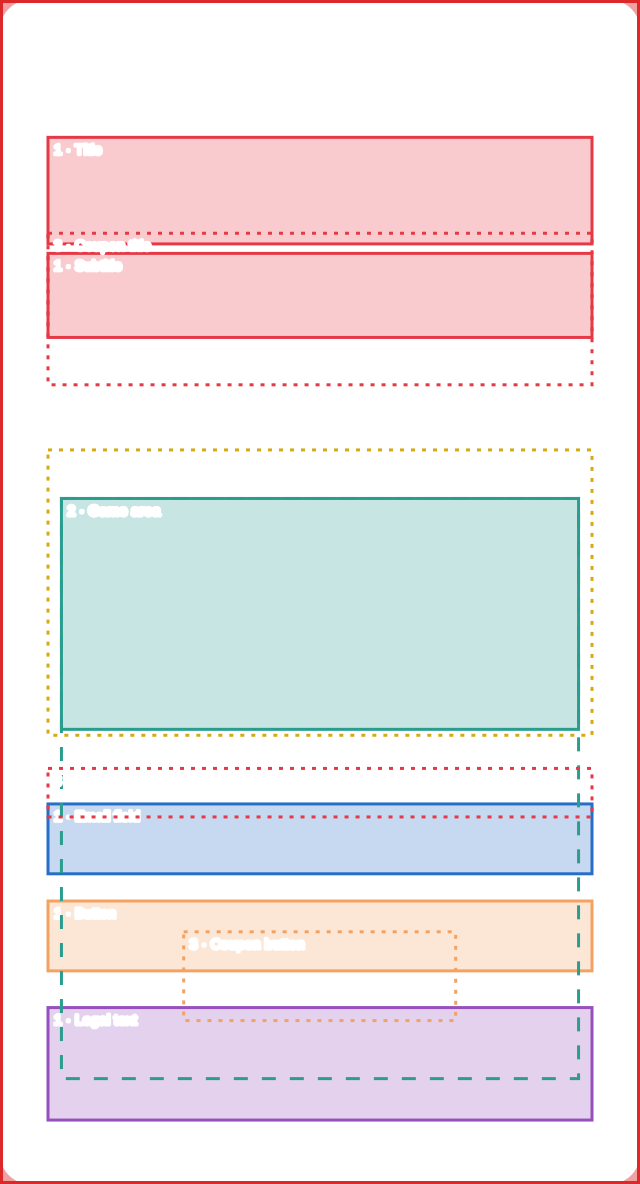
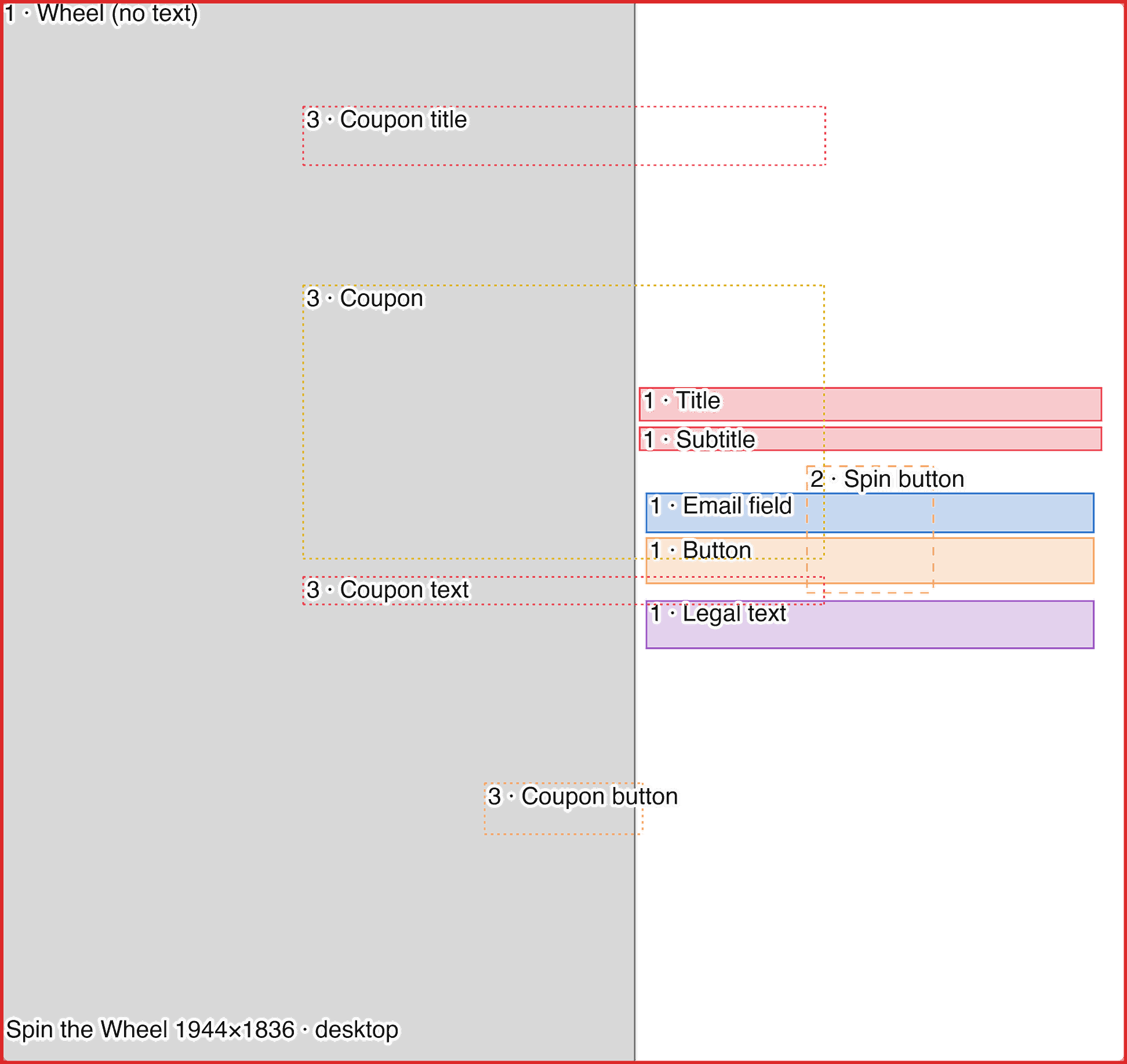
Colored rectangles marking where the title, subtitle, email, button, legal text, coupon and the game sit. The artwork can run behind them, but nothing important should depend on being visible there.
Free area for the artwork
What is left outside the zones: this is where illustrations, products and brand elements go.
Bleed
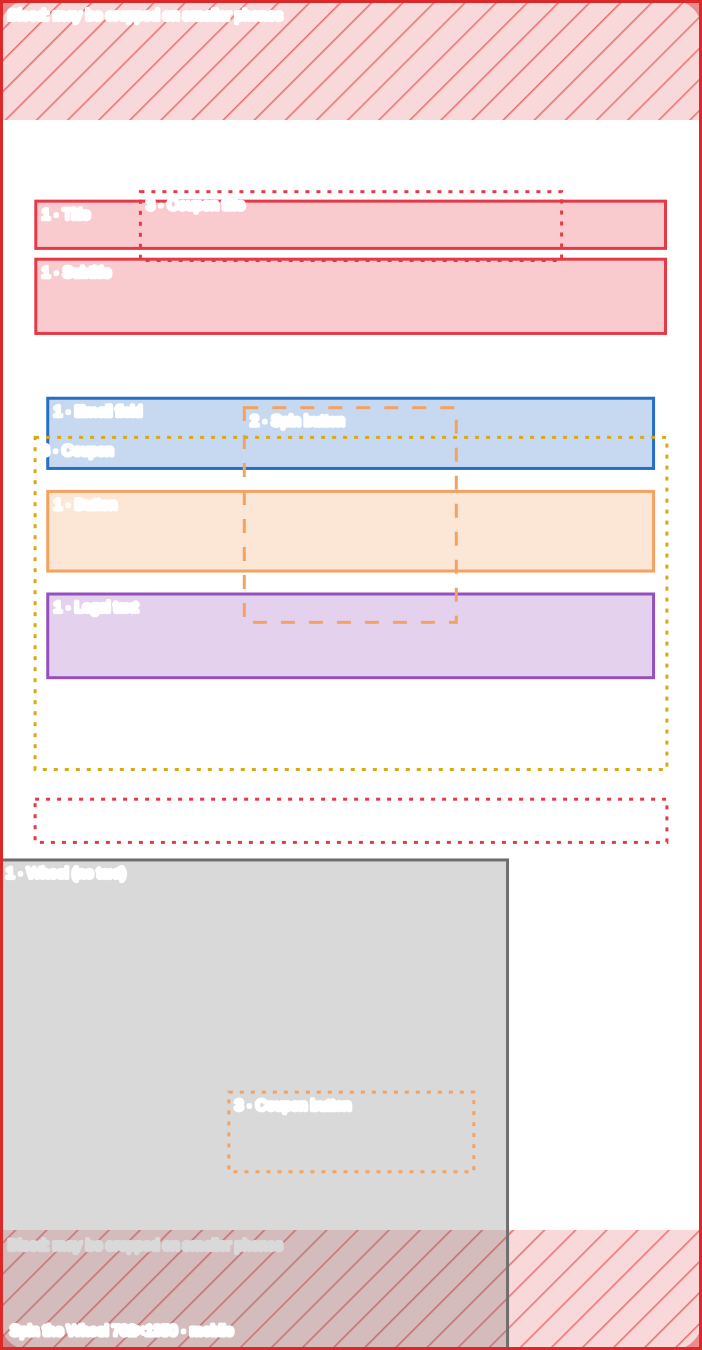
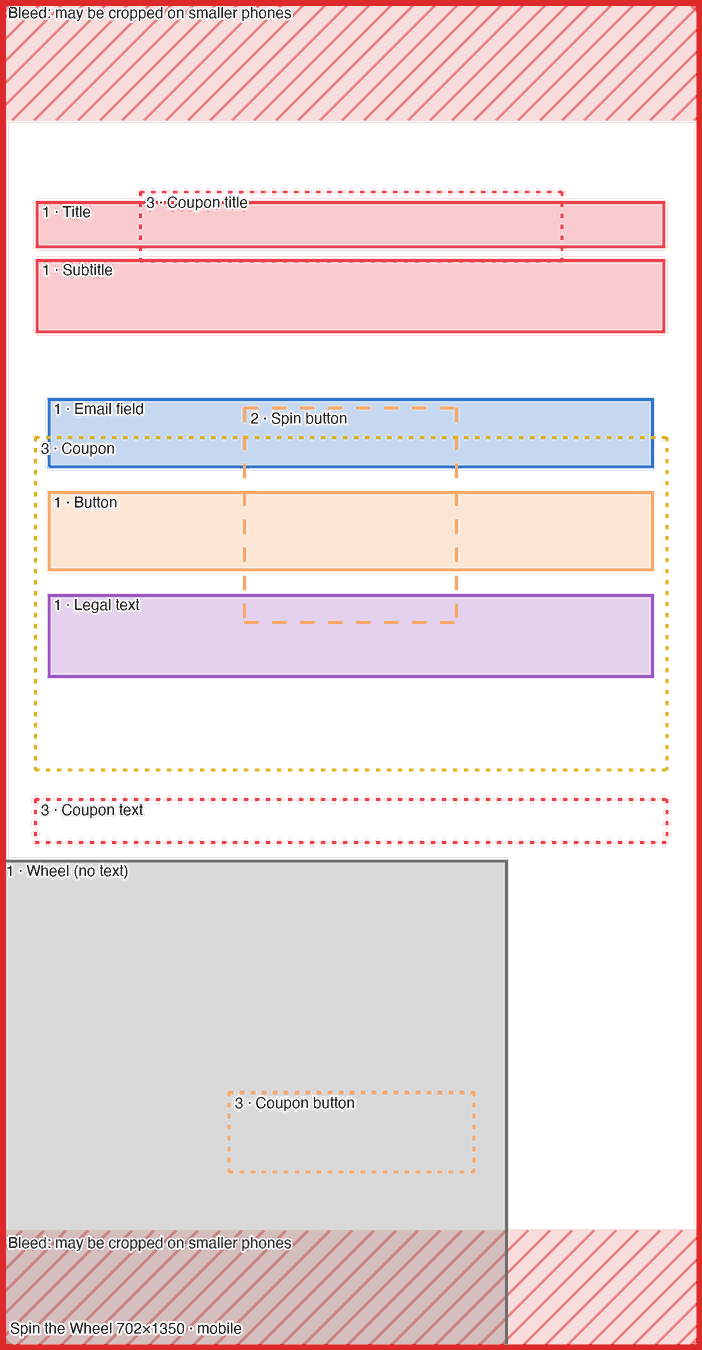
A strip of the image that may be cropped. It only exists where the popup proportion changes: on the Spin the Wheel, on phones whose proportion differs from 390×844 (for example 360×640), about 9% at the top and 9% at the bottom. Extend the background to the edge, but keep text and important elements out of those strips.
Rounded corners
The popup has 15 px rounded corners (30 px in the file at double size). Keep important elements out of the corners.

This terminology follows design practice: bleed is the part of the artwork that extends past the final area to avoid empty gaps if it is cropped; the safe zone is the area where text and logos stay protected. (Adobe, Canva)

The three campaign steps

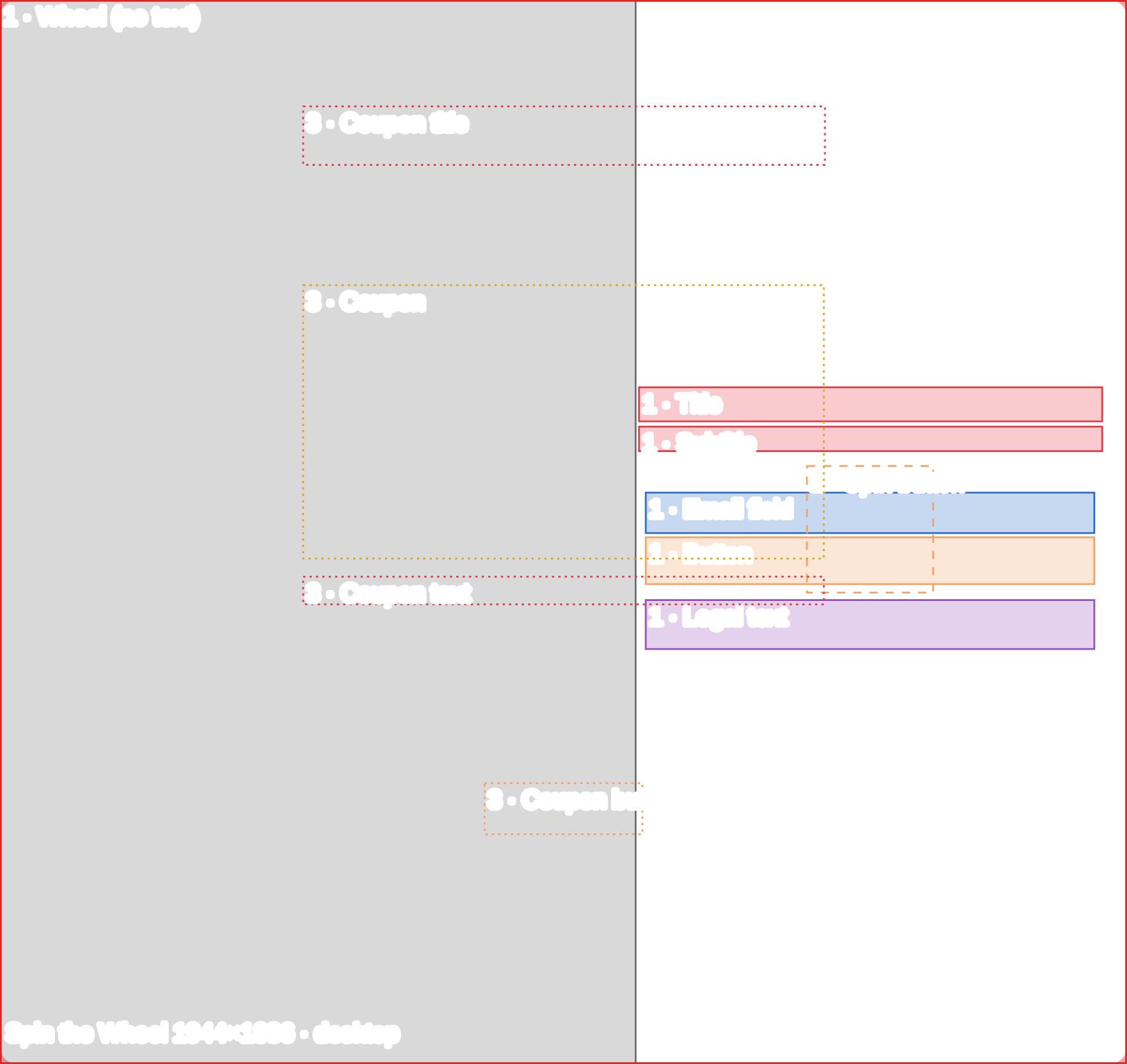
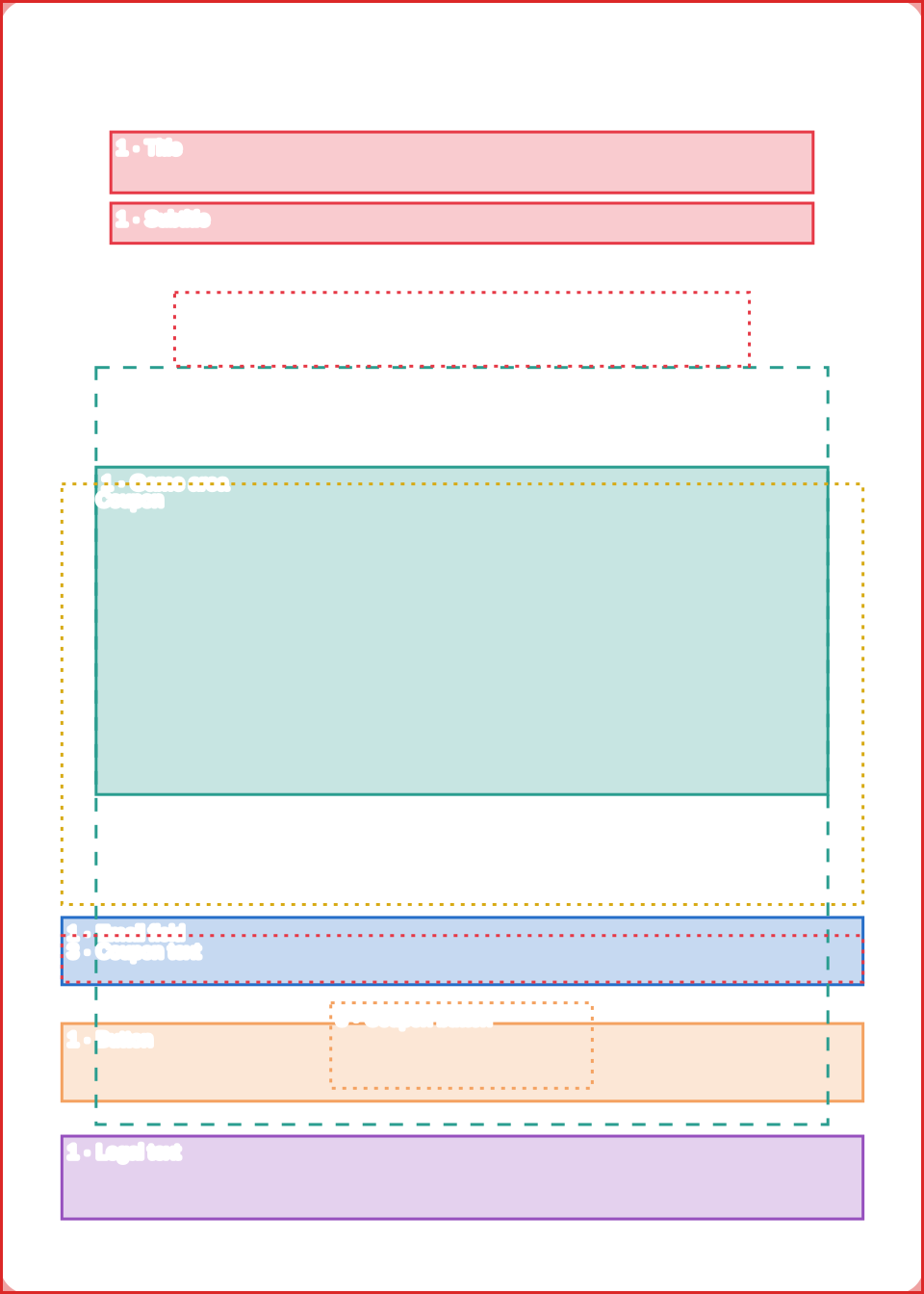
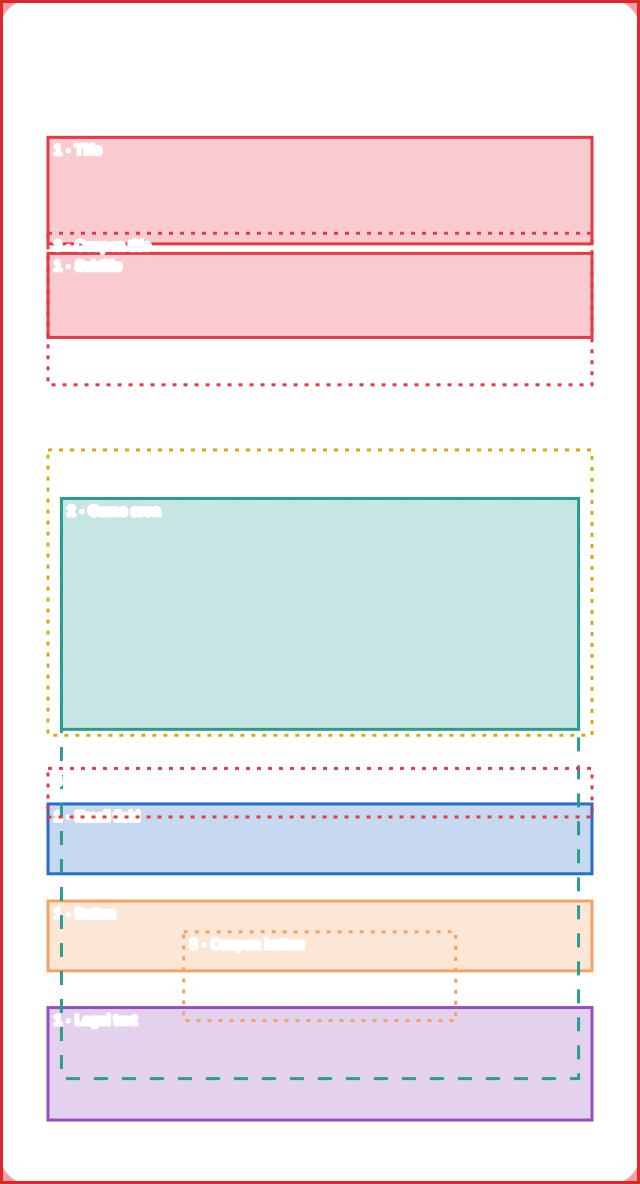
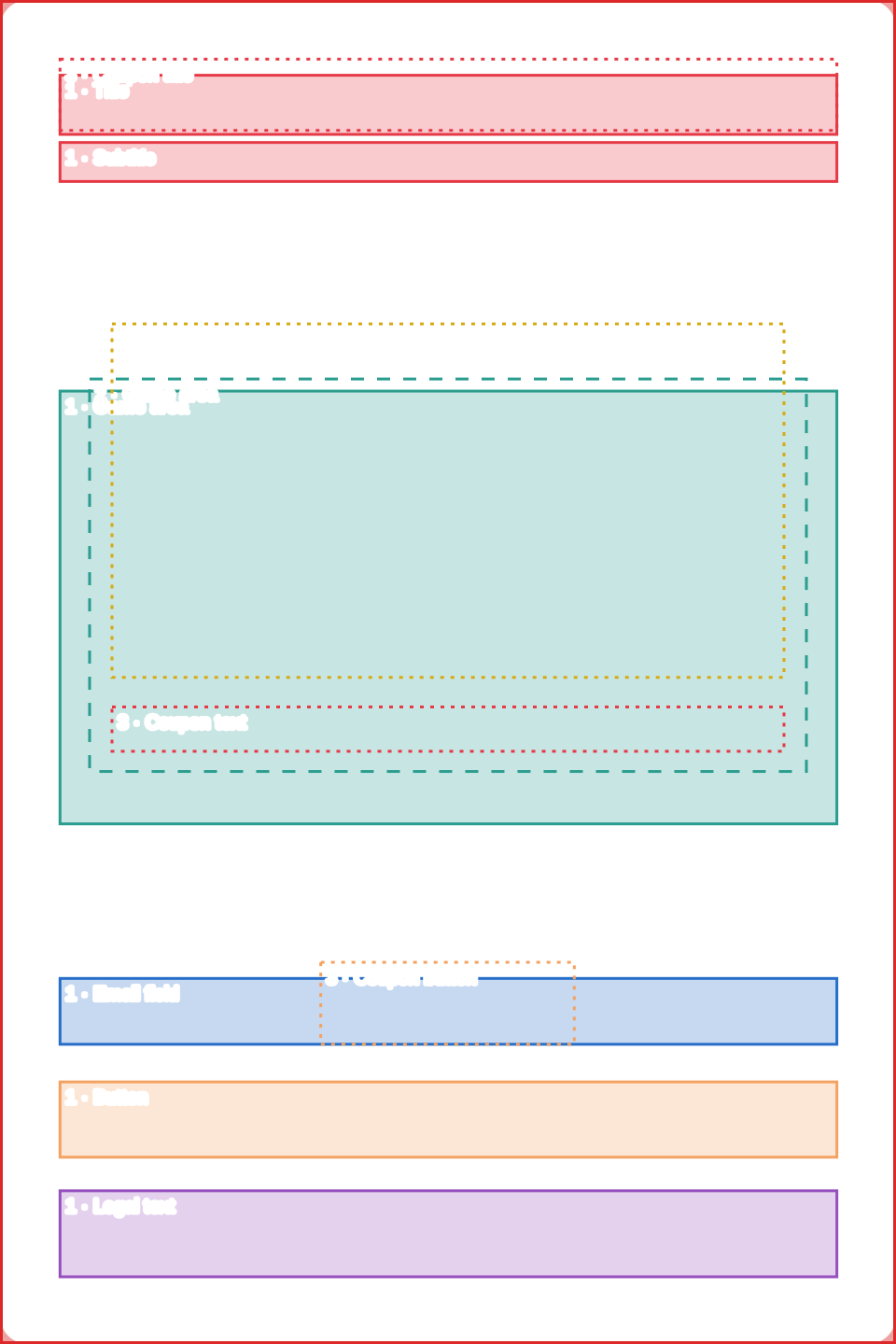
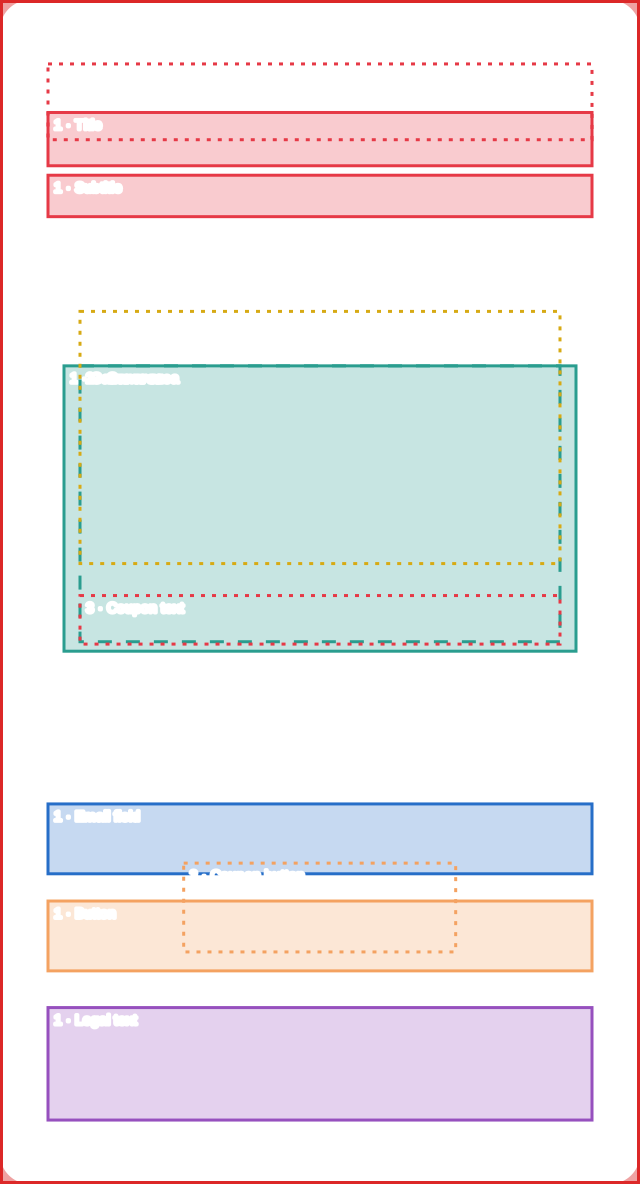
The popup goes through three screens and the elements change position on each one. The template shows all three at once, with different line styles:

  • Filled = step 1 (opt-in)
  • Dashed = step 2 (game)
  • Dotted = step 3 (coupon)
  1. 1. Opt-in

    Title, subtitle, game, email field, button and legal text appear together. It is the busiest step and the most critical for the artwork.

  2. 2. Game

    The form disappears. Title and subtitle move and the game (wheel, machine, icons or card) takes center stage.

  3. 3. Coupon

    Only the title, the large coupon and the buttons to copy the code or close appear.

On the coupon step there is a campaign option to show or hide the popup background image. When it is off, only the background color appears.

Popup backgrounds by game

The popup background image applies to on-site campaigns and QR Code campaigns. It fills the popup and, if the image proportion differs from the popup’s, it is scaled up until it covers it and the excess is cropped. So always use the exact proportion of the template.

GameDesktop · PopupDesktop · Export atMobile · PopupMobile · Export at
Spin the Wheel85% of the screen height, 18:17 ratio (972×918 on a 1080 px tall screen)1944×183690% of the screen width and 80% of its height (351×675 at 390×844)702×1350
Slot Machine800×512 px1600×1024320×720 px640×1440
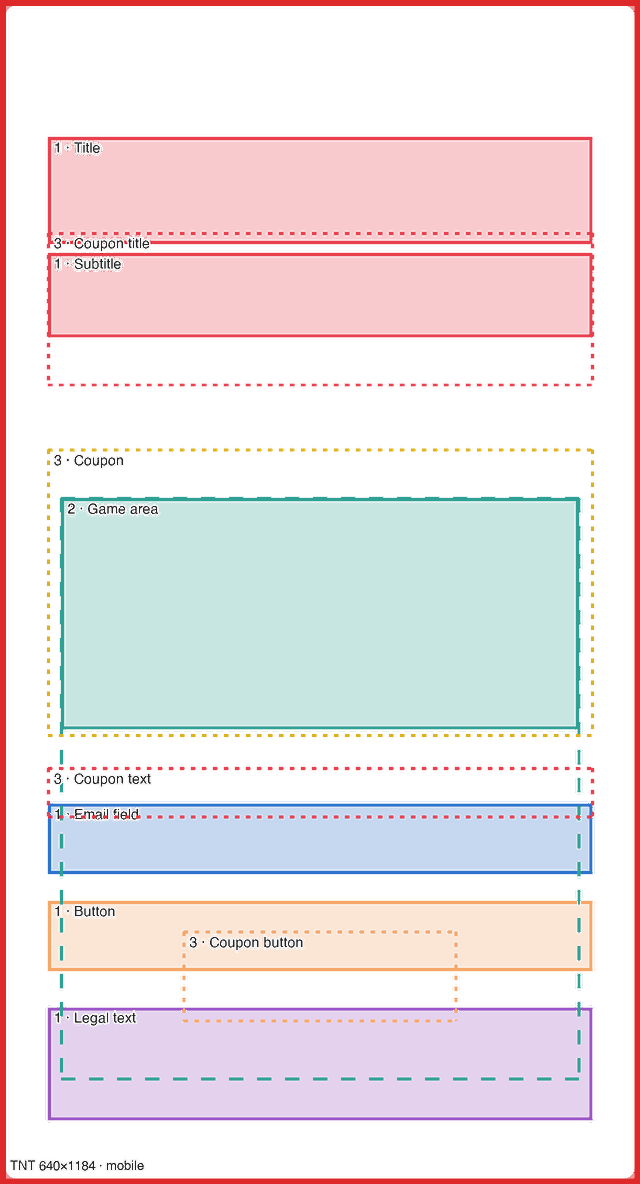
TNT480×672 px960×1344320×592 px640×1184
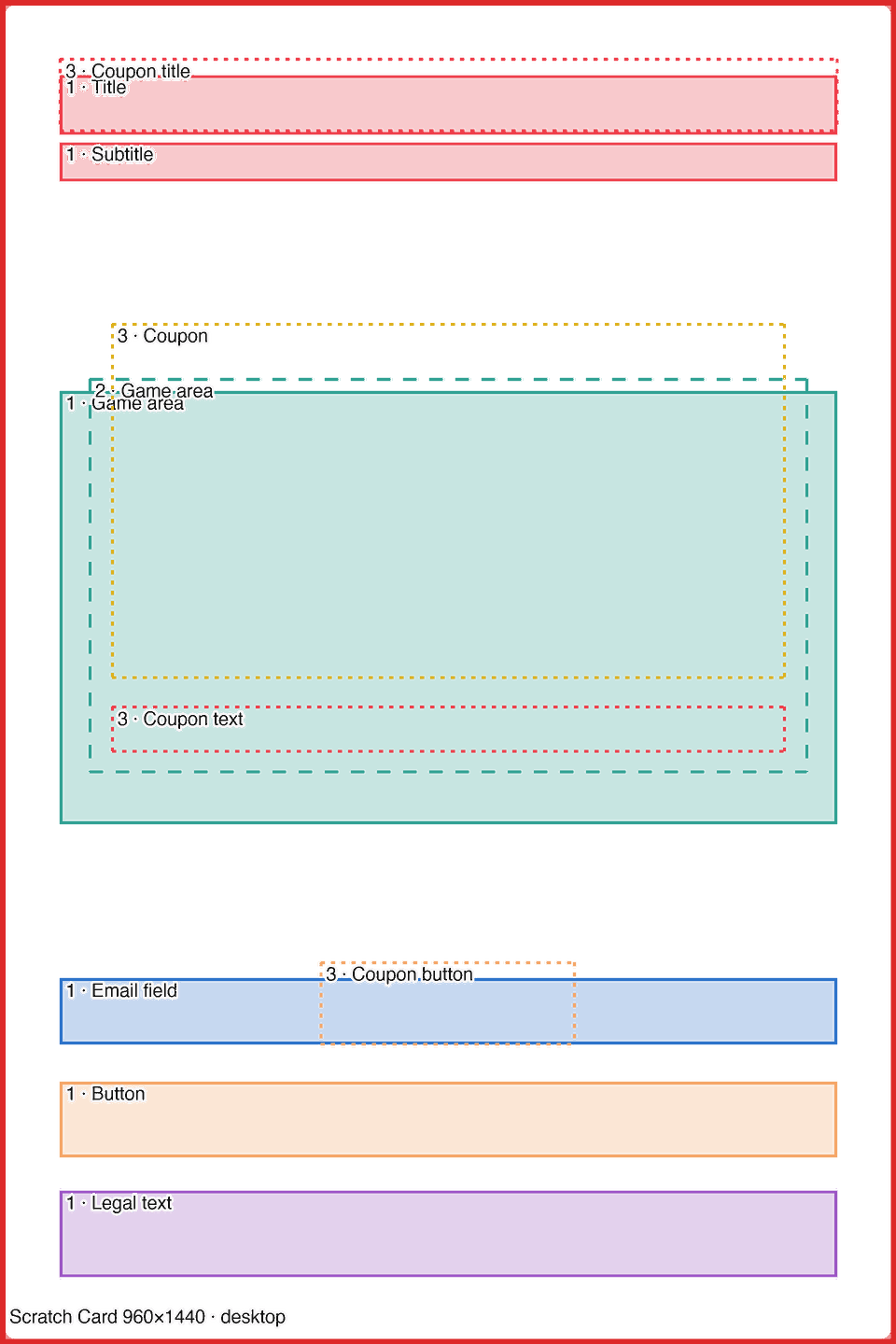
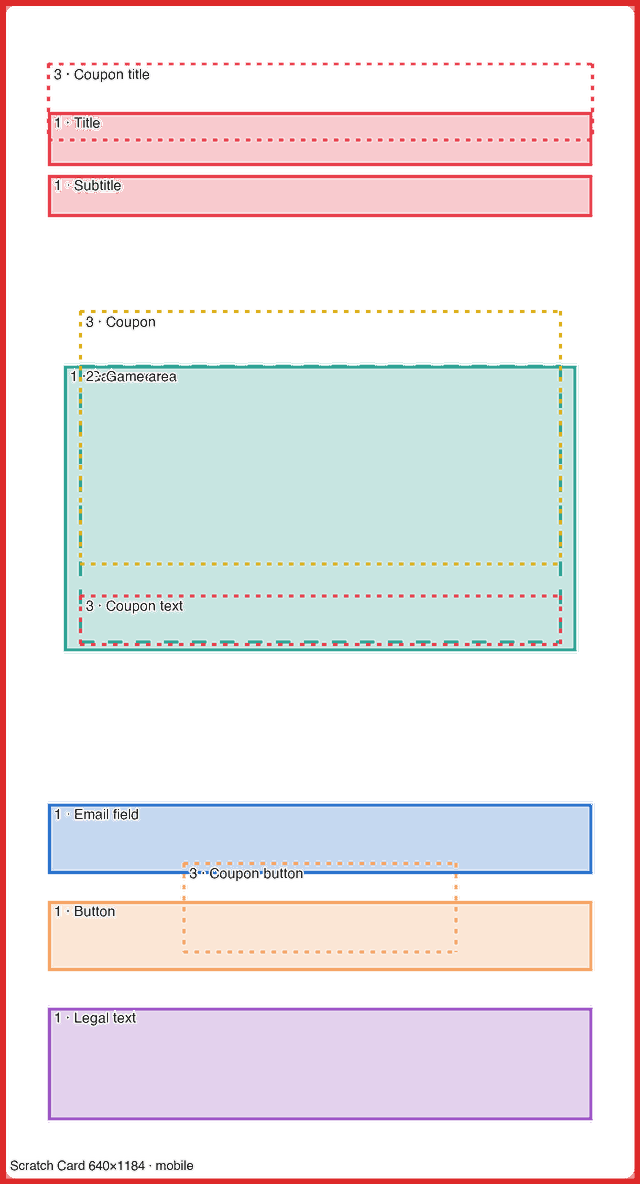
Scratch Card480×720 px960×1440320×592 px640×1184
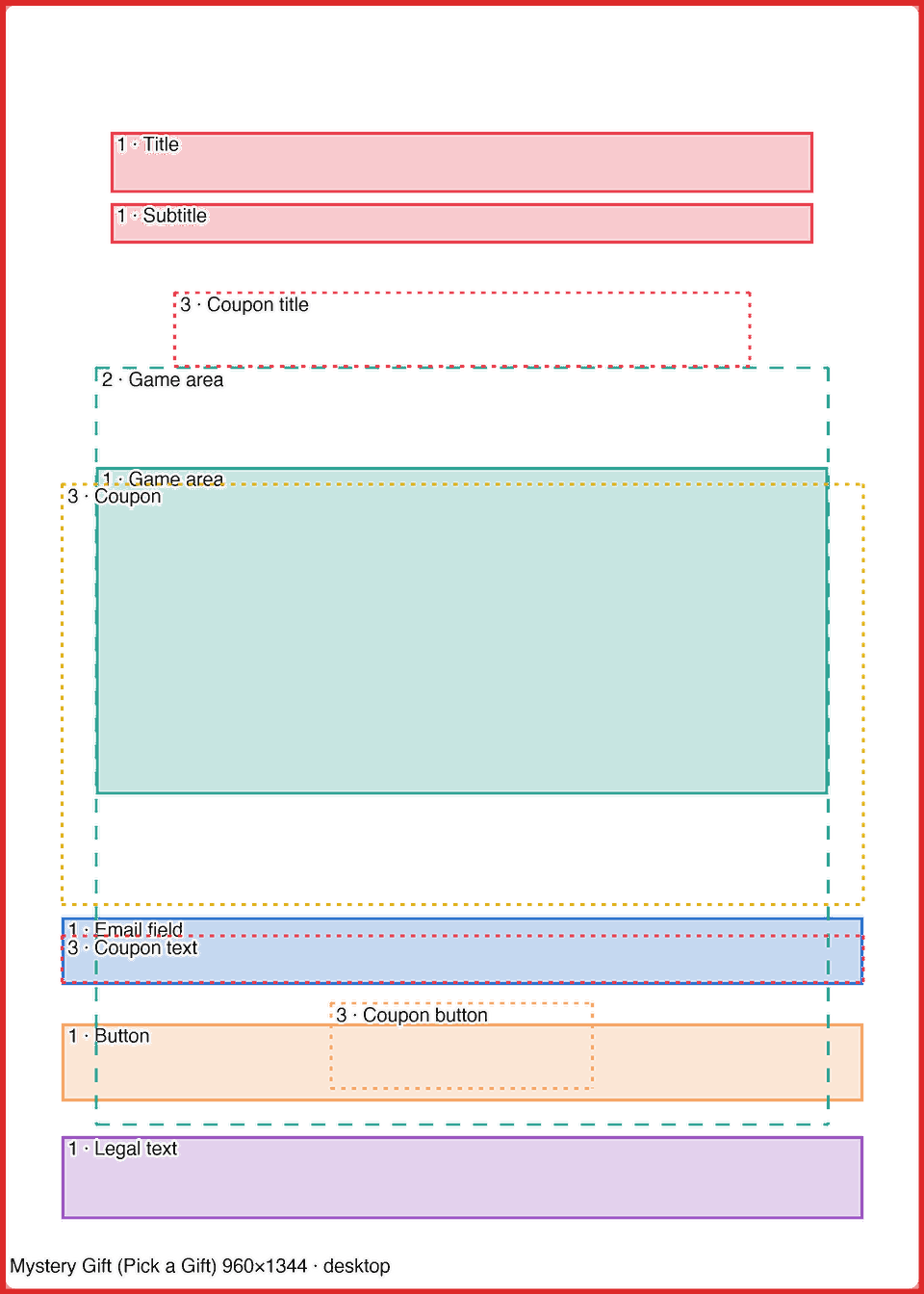
Mystery Gift (Pick a Gift)480×672 px960×1344320×592 px640×1184
Treasure Hunt (Treasure Hunt)480×672 px960×1344320×592 px640×1184

Spin the Wheel

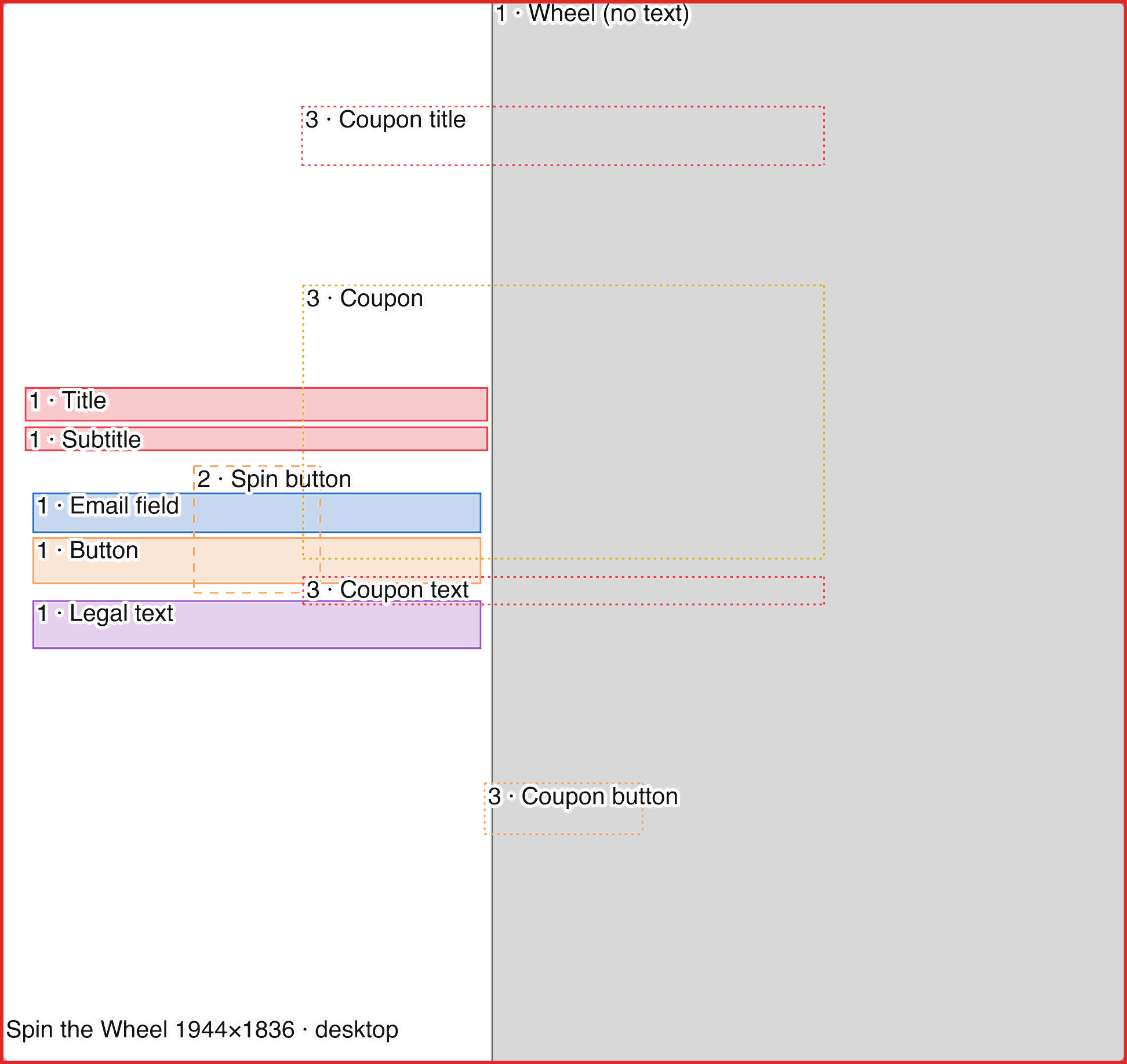
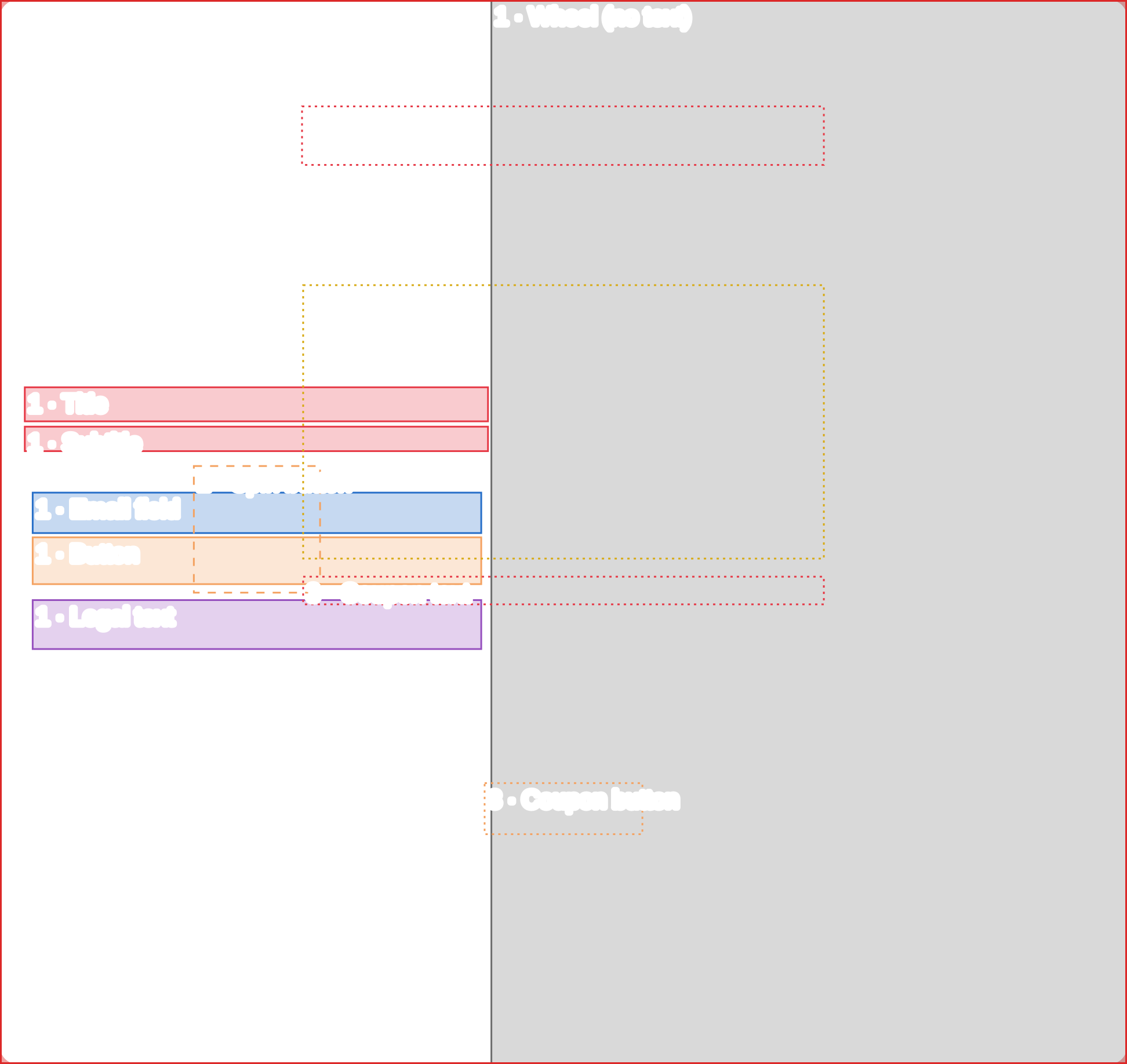
On desktop the wheel takes the left half of the popup and the text sits on the right; the popup is 85% of the screen height. If the wheel is set to the right, the zone layout is mirrored (there is a template for that case). On mobile the popup takes 90% of the width and 80% of the height of the screen and the wheel sits at the bottom.
Desktop

Template preview: Desktop

1944×1836 px

Mobile

Template preview: Mobile

702×1350 px

Wheel on the right

Template preview: Wheel on the right

1944×1836 px

Slot Machine

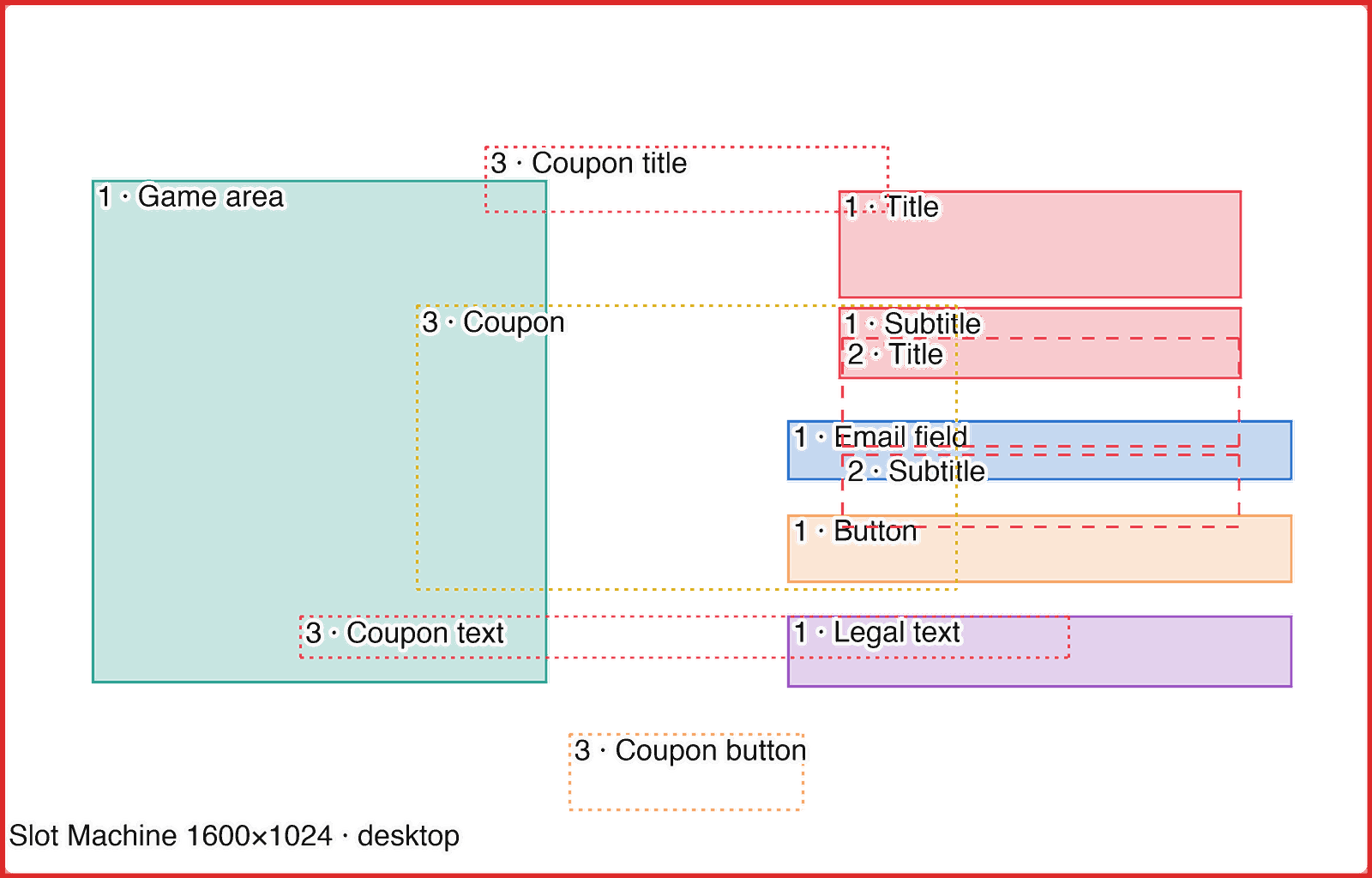
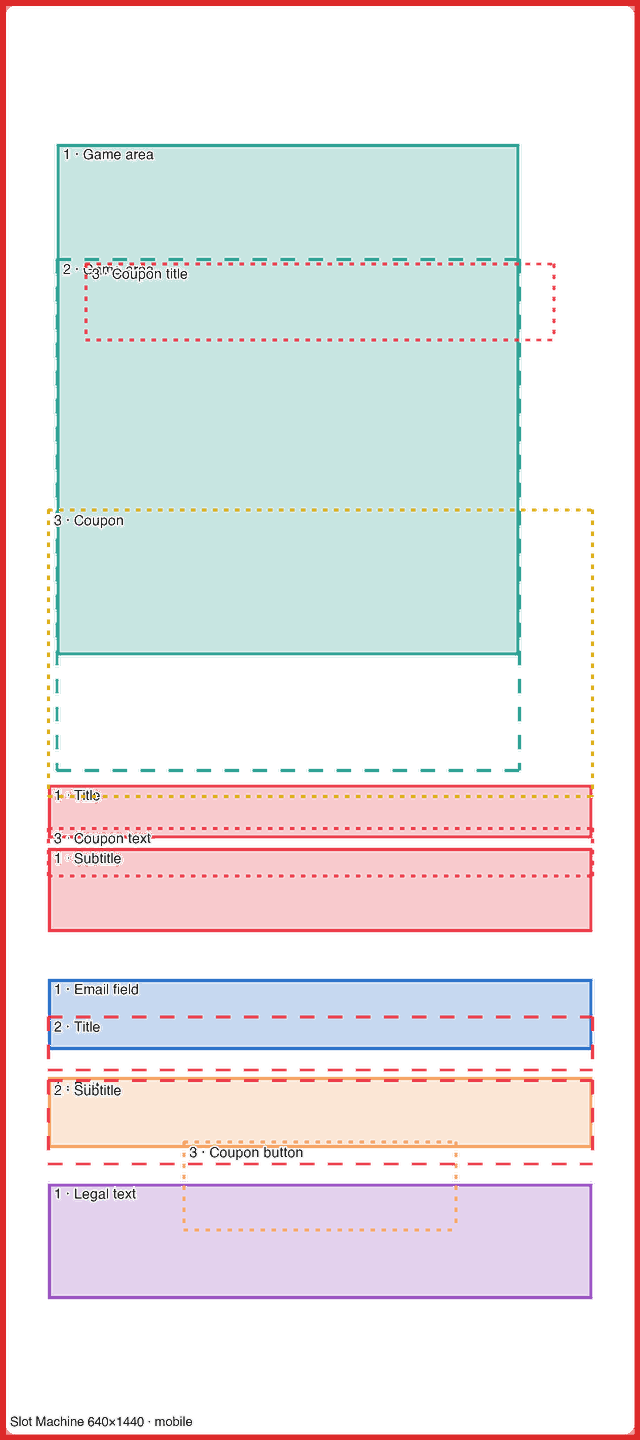
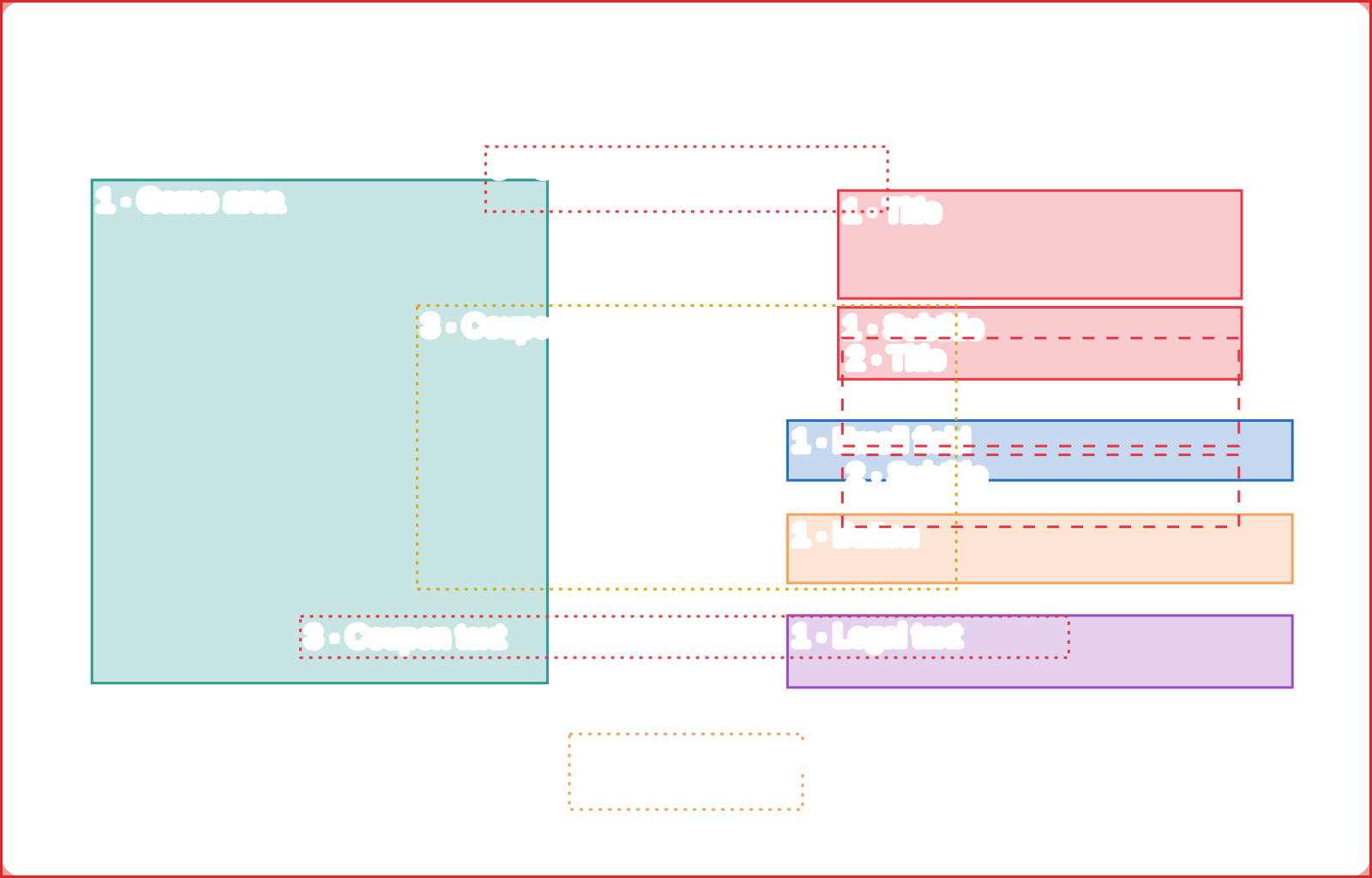
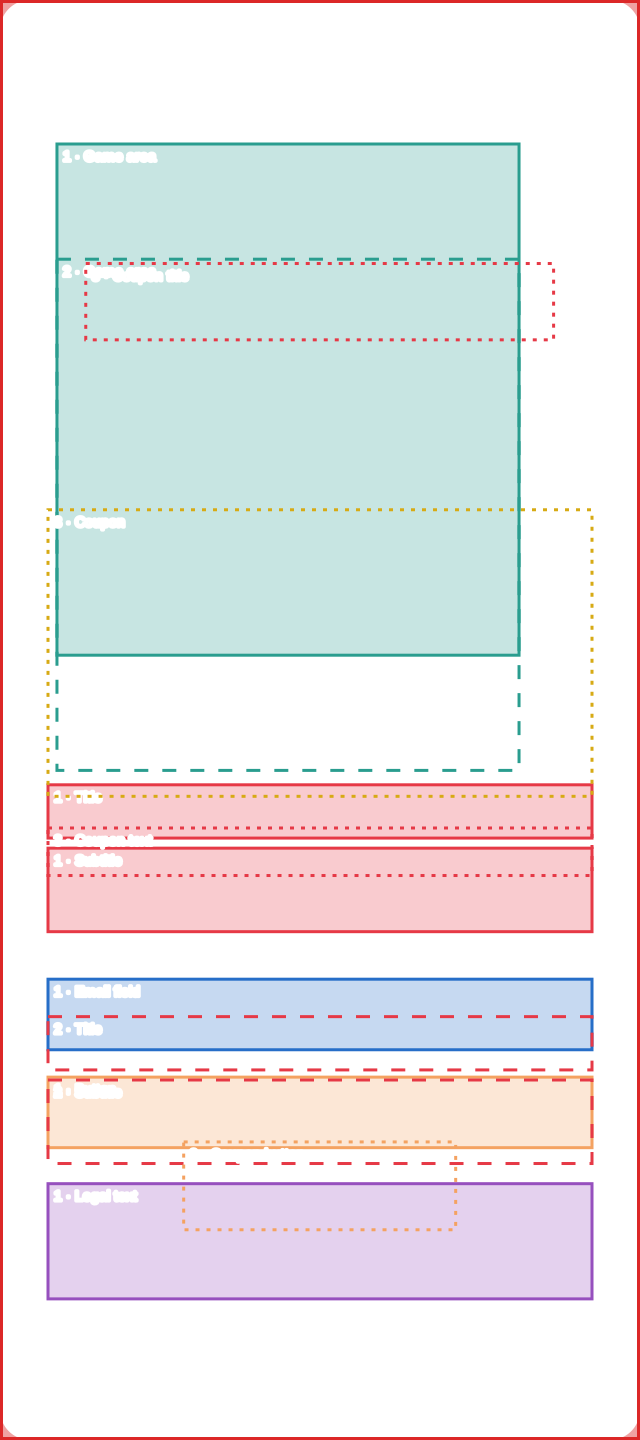
Machine on the left and text on the right on desktop; on mobile the machine is on top and the form below. Fixed size.

Desktop

Template preview: Desktop

1600×1024 px

Mobile

Template preview: Mobile

640×1440 px

TNT

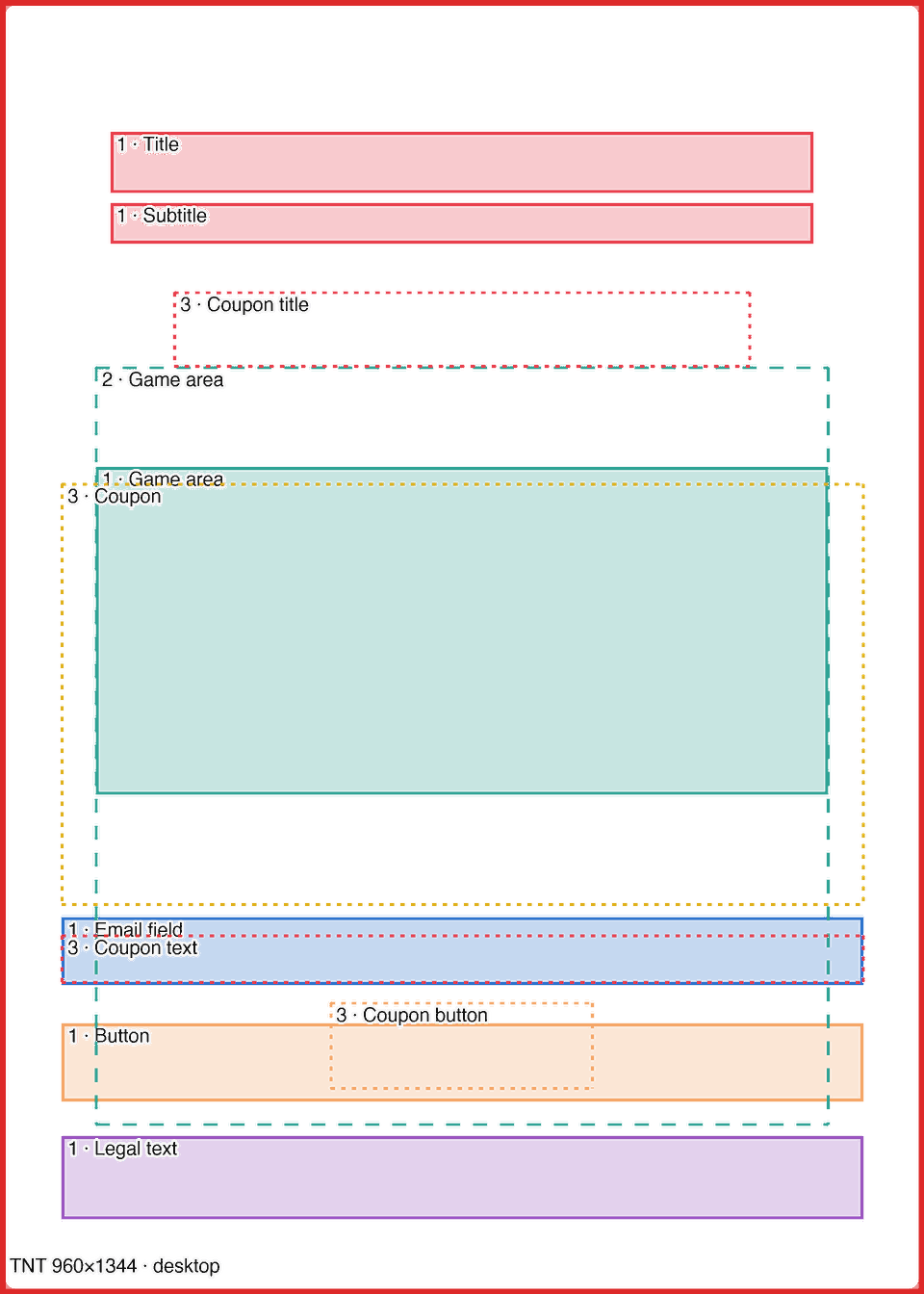
The icons (balloons or bombs) float around the game area and, after the email step, move across a larger area: the template shows both. Fixed size.

Desktop

Template preview: Desktop

960×1344 px

Mobile

Template preview: Mobile

640×1184 px

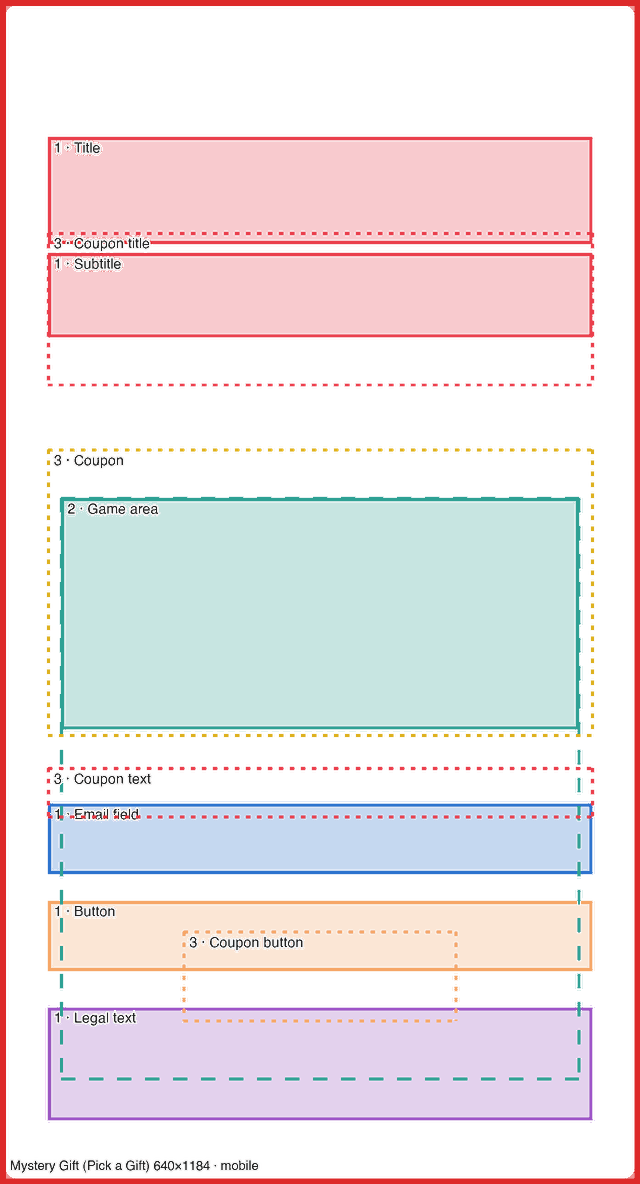
Mystery Gift (Pick a Gift)

Same proportions, dimensions and zones as TNT; only the icon (a gift) changes and the elements stay still instead of floating. Information from the Popconvert team.

Desktop

Template preview: Desktop

960×1344 px

Mobile

Template preview: Mobile

640×1184 px

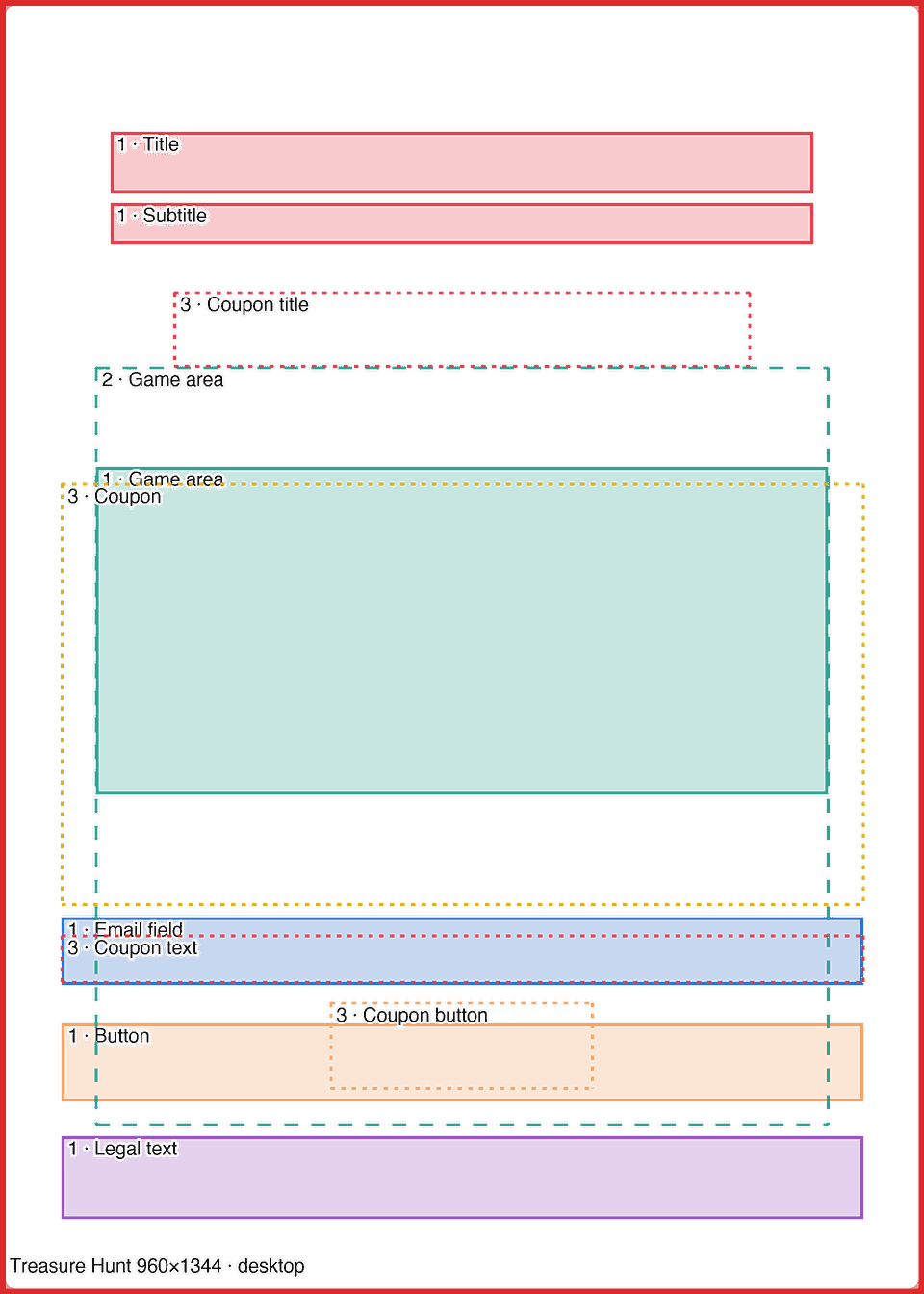
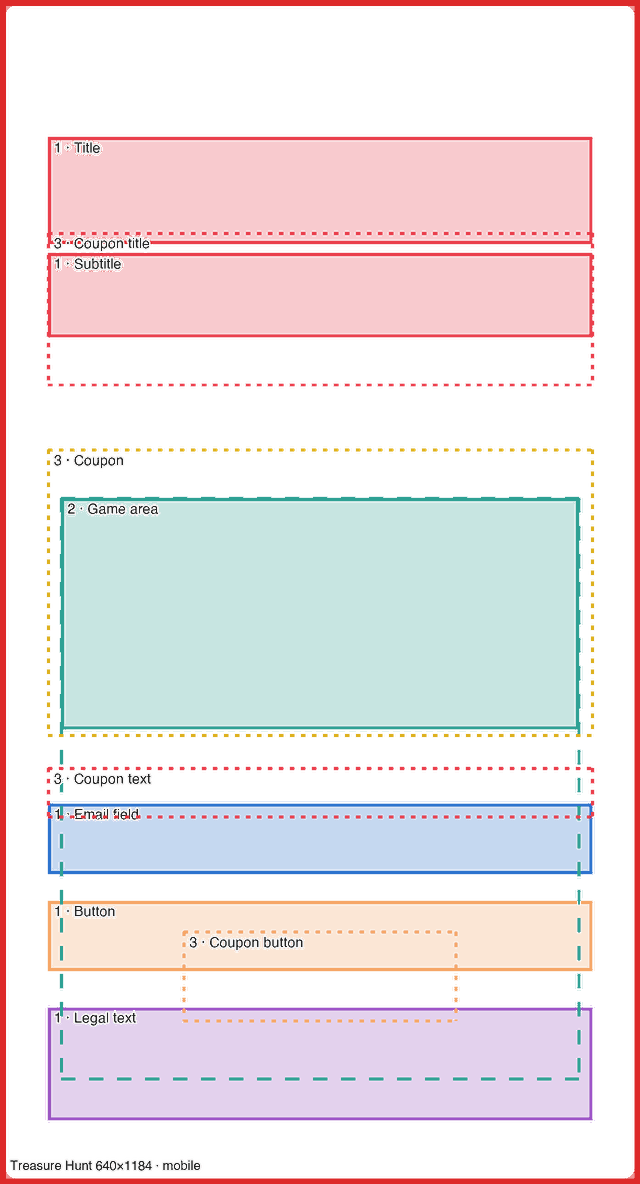
Treasure Hunt (Treasure Hunt)

Same proportions, dimensions and zones as TNT; only the icon (a treasure chest) changes and the elements stay still instead of floating. Information from the Popconvert team.

Desktop

Template preview: Desktop

960×1344 px

Mobile

Template preview: Mobile

640×1184 px

Landing background (QR Code)

The landing background exists only in QR Code campaigns, which Popconvert hosts. Campaigns on the customer’s website have no landing background, because they run on the customer’s own page.

If no image is uploaded, the landing shows a gray background.

  • The background covers the whole screen and is cropped to the screen’s proportion: keep the essentials in the center.
  • Spin the Wheel: on desktop the game sits against the left edge (default) or the right edge (configurable), never centered; choosing the right mirrors the layout. On mobile the popup takes 90% of the width.
  • Other games: the popup is centered. The rest of the screen is free area for the visual composition.
  • Make sure the artwork contrasts with the popup: if the background is close to the popup color, it gets lost.
GamePosition on desktopPopup (desktop)
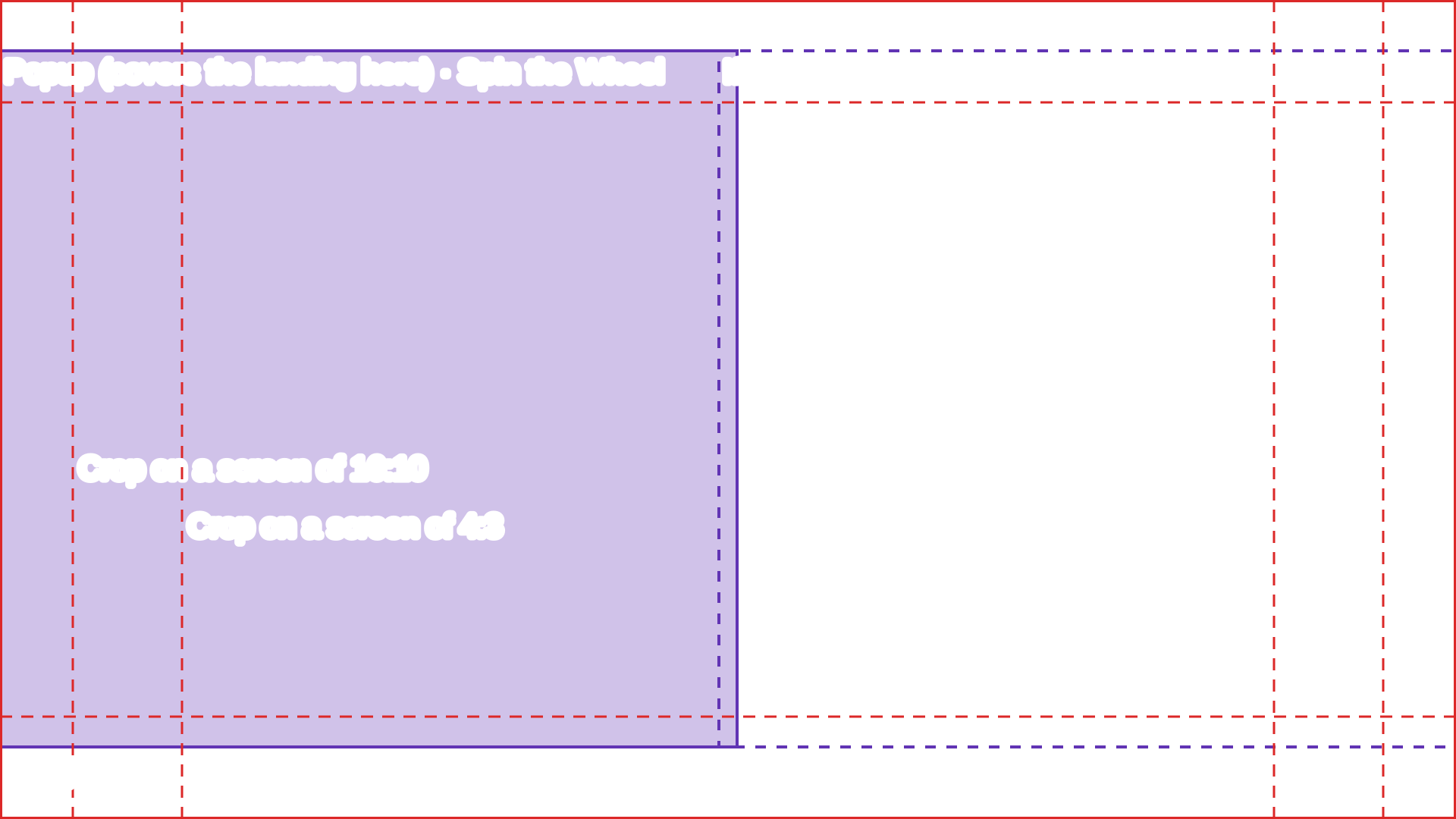
Spin the WheelLeft (default) or right972×918 px
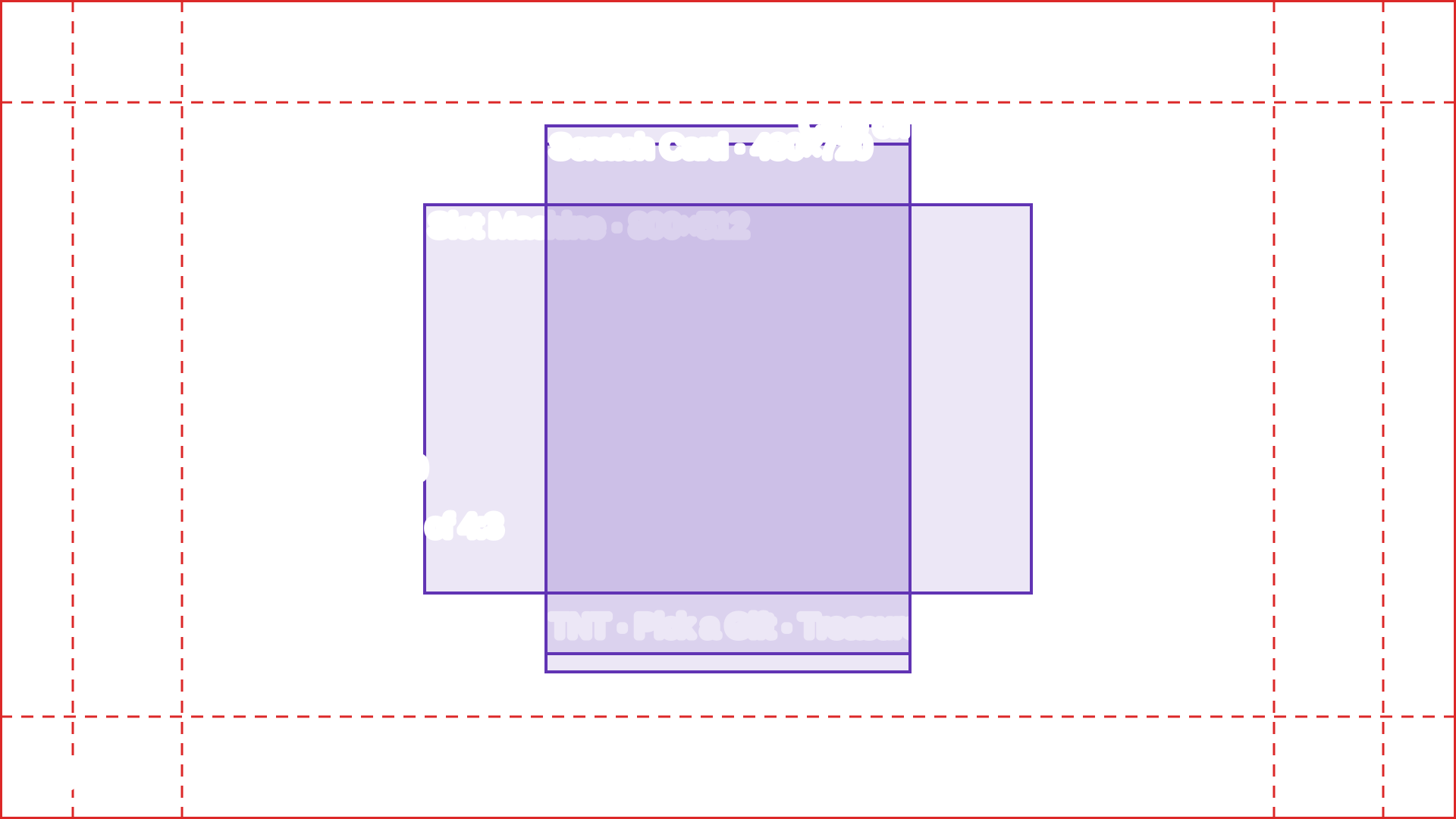
Slot MachineCentered800×512 px
TNT · Pick a Gift · Treasure HuntCentered (also Pick a Gift and Treasure Hunt)480×672 px
Scratch CardCentered480×720 px

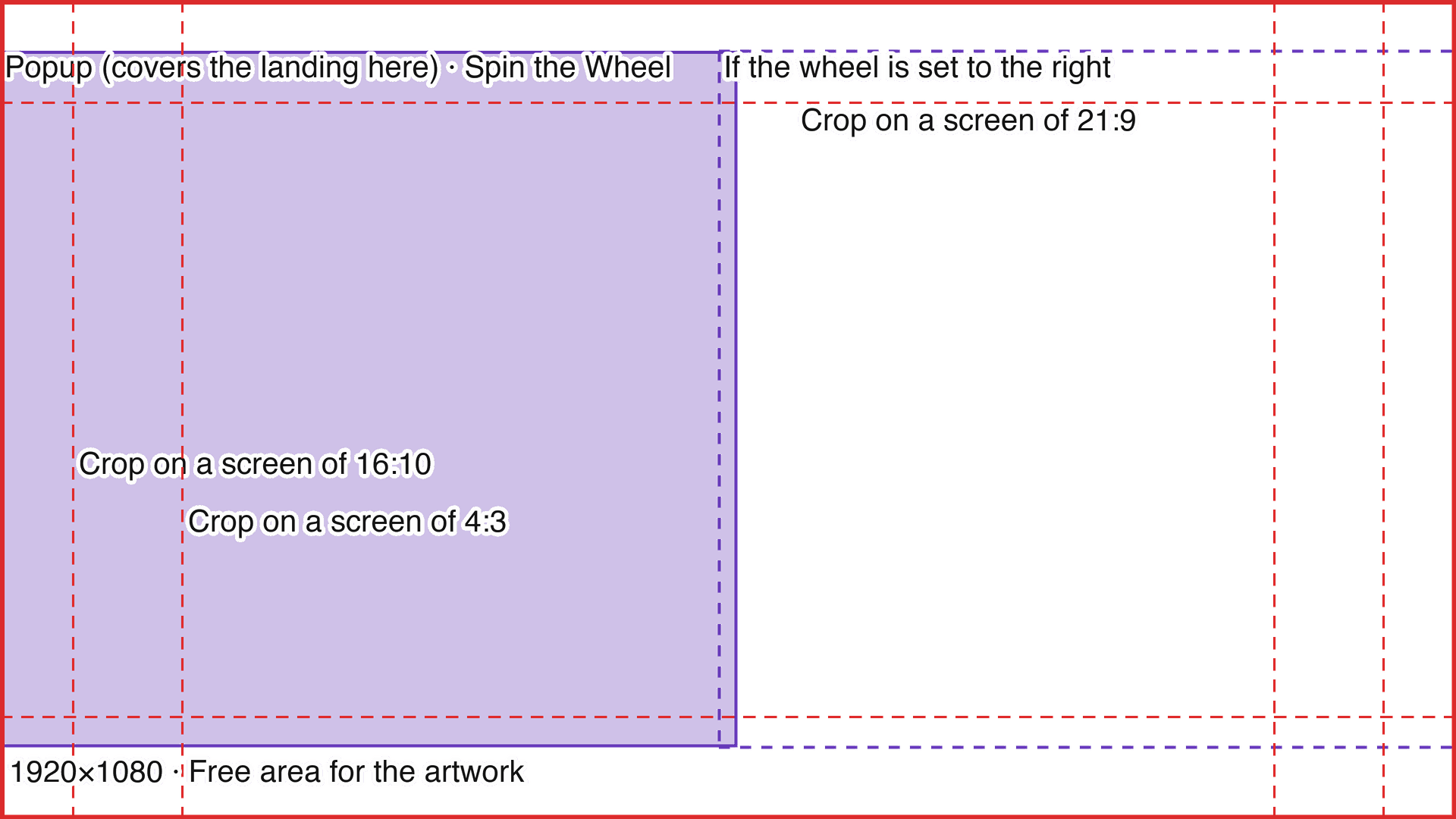
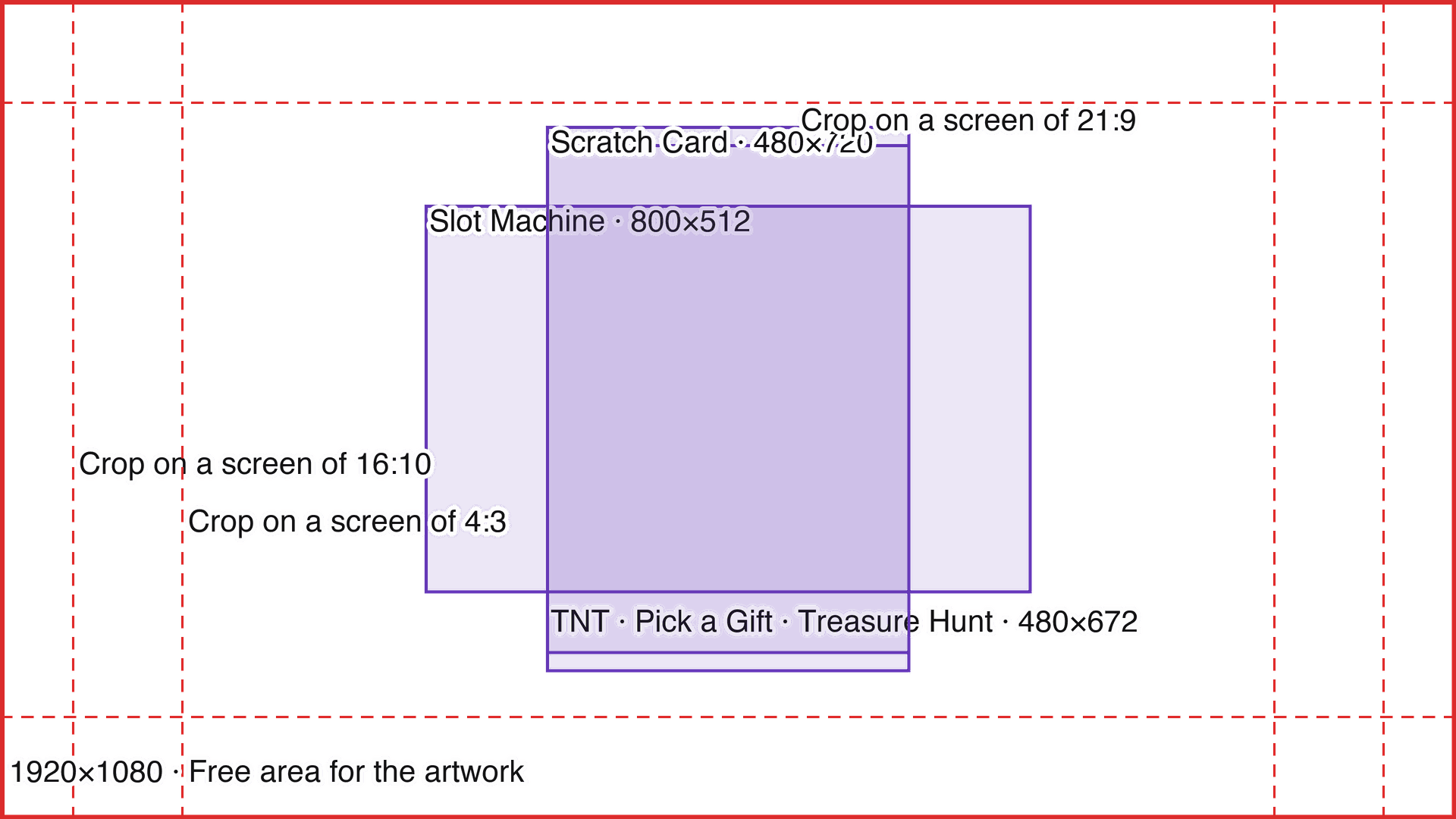
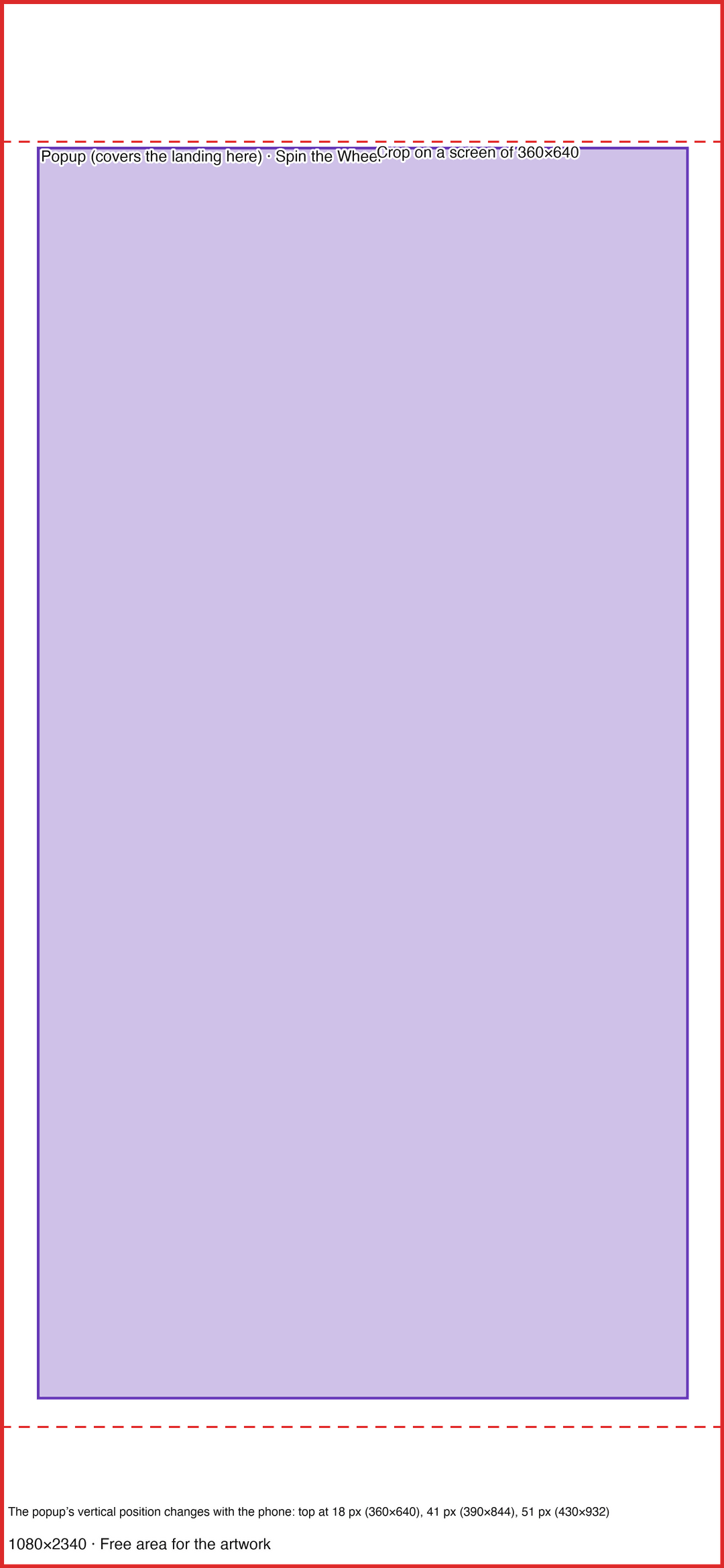
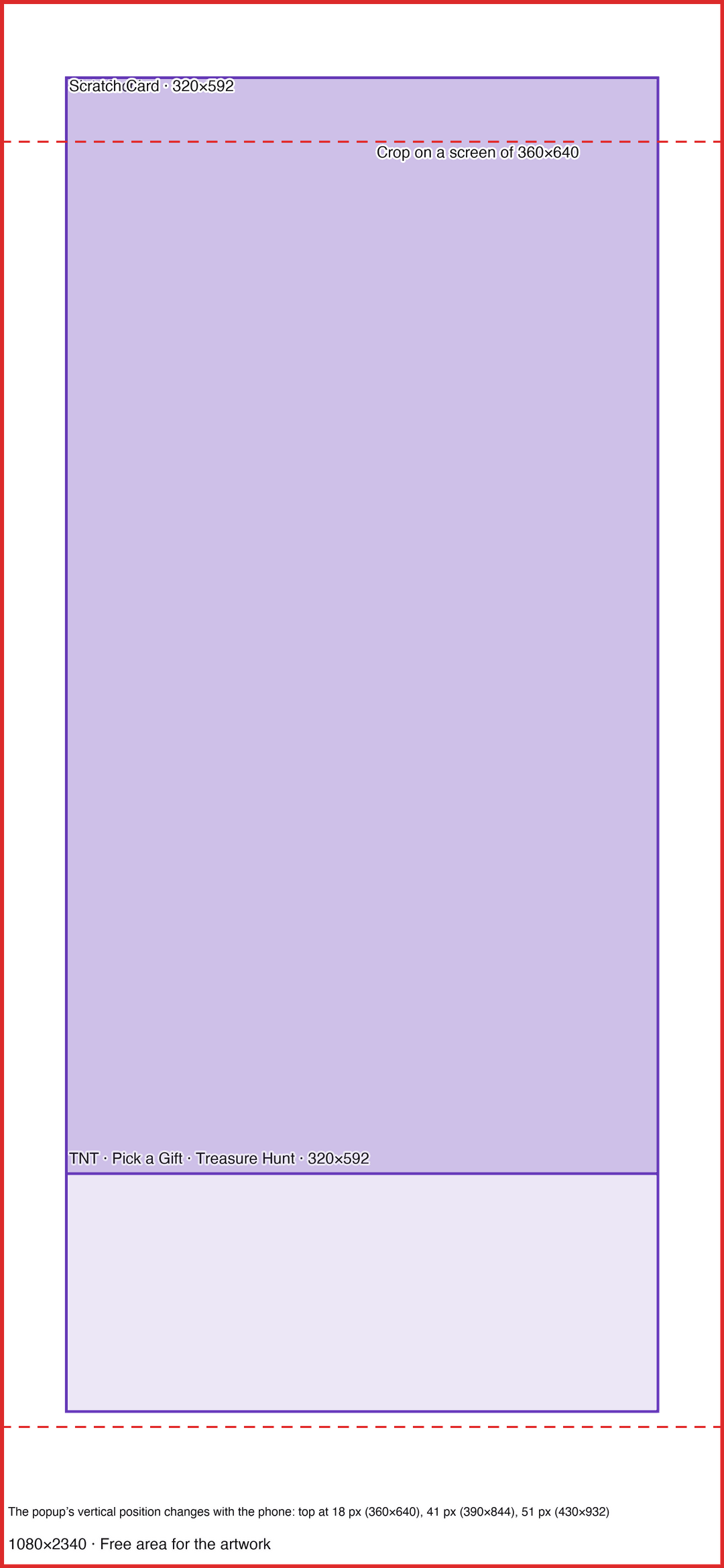
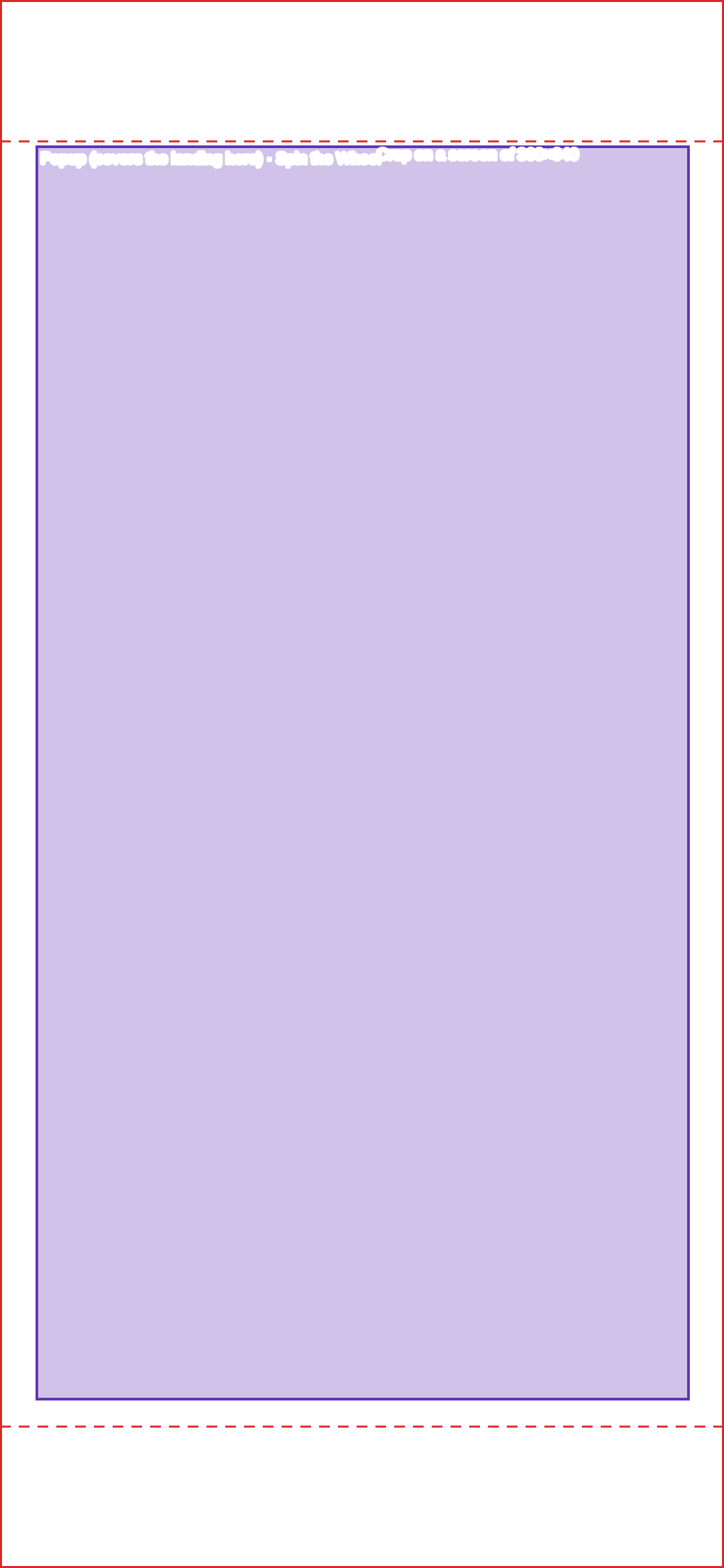
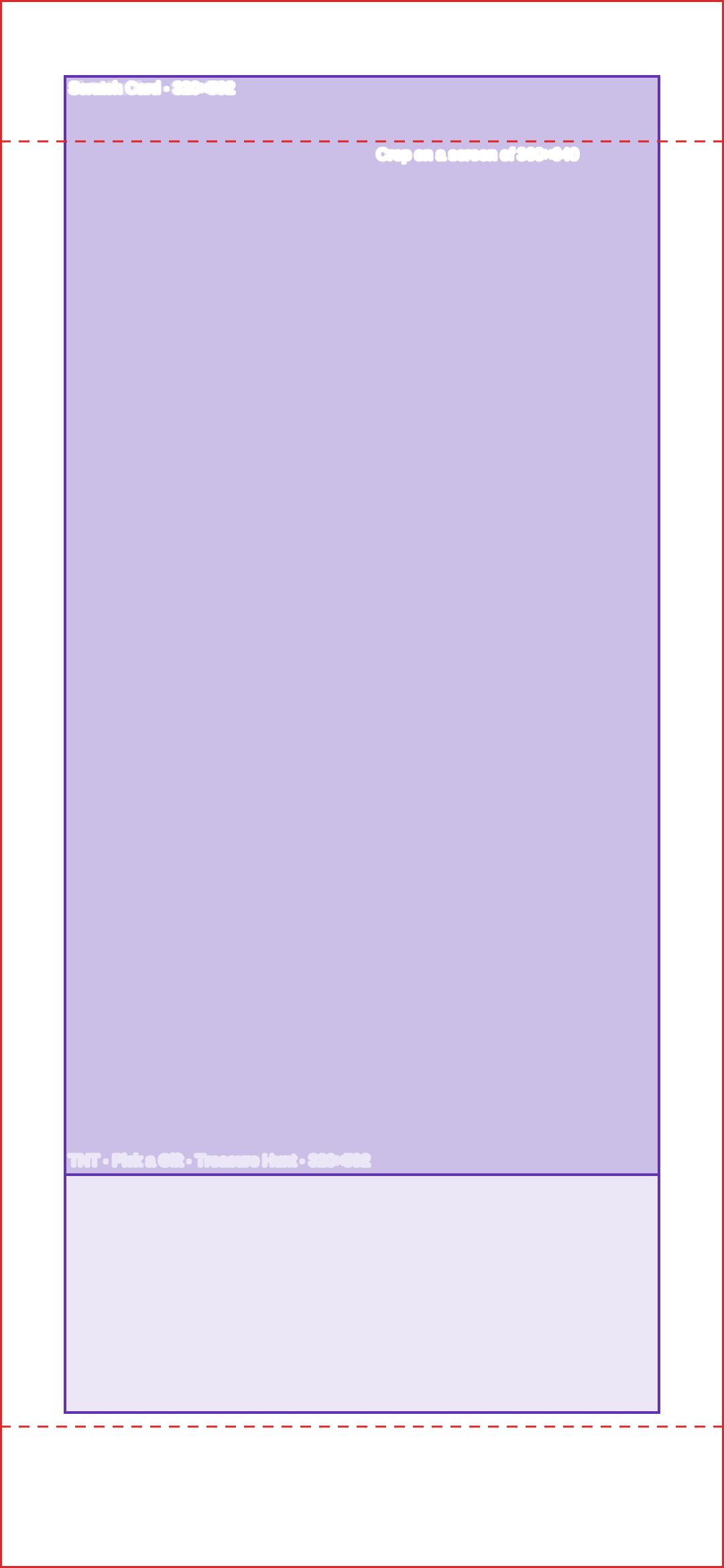
The landing templates show the area covered by the popup and crop lines calculated for screens of other proportions. On mobile the popup’s vertical position varies with the screen height: the top sits at 18 px on 360×640, 41 px on 390×844 and 51 px on 430×932.

Desktop · Spin the Wheel

Template preview: Desktop · Spin the Wheel

1920×1080 px

Desktop · Centered

Template preview: Desktop · Centered

1920×1080 px

Mobile · Spin the Wheel

Template preview: Mobile · Spin the Wheel

1080×2340 px

Mobile · Centered

Template preview: Mobile · Centered

1080×2340 px

Reference phones

The phone sizes used for the measurements were 360×640, 390×844 and 430×932 (popular iPhone and Samsung models). The mobile templates start from 390×844.

How to deliver the artwork

  • Export the popup background at the size in the table (double the popup), one image for desktop and another for mobile.
  • Export the landing background at 1920×1080 (desktop) and 1080×2340 (mobile), for QR Code campaigns only.
  • To fit an existing image to the exact size, use Popconvert’s free image resizer, which already includes these sizes.

Frequently asked questions

What size is the popup background image for the Scratch Card?

The Scratch Card popup is 480×720 on desktop and 320×592 on mobile. Export the background at 960×1440 (desktop) and 640×1184 (mobile).

What size is the popup background image for the Slot Machine?

The Slot Machine popup is 800×512 on desktop and 320×720 on mobile. Export at 1600×1024 (desktop) and 640×1440 (mobile).

What size is the popup background image for TNT?

The TNT popup is 480×672 on desktop and 320×592 on mobile. Export at 960×1344 (desktop) and 640×1184 (mobile).

What size is the popup background image for the Spin the Wheel?

On desktop the Spin the Wheel popup takes 85% of the screen height at an 18:17 ratio (972×918 on a 1080 px tall screen); export at 1944×1836. On mobile it takes 90% of the width and 80% of the height of the screen (351×675 at 390×844); export at 702×1350.

Do Mystery Gift (Pick a Gift) and Treasure Hunt have the same size as TNT?

Yes. According to the Popconvert team, the proportions, dimensions and zones are the same as TNT: a 480×672 popup on desktop and 320×592 on mobile. The difference is the game icon, and the elements stay still instead of floating.

What happens if I don’t upload a landing background for a QR Code campaign?

The QR Code campaign landing shows a gray background.

Does a campaign on my customer’s website have a landing background?

No. The landing background exists only in QR Code campaigns. Campaigns on a website run on the customer’s page and only have the popup background image.

Can the Spin the Wheel be centered on the QR Code landing?

On desktop, no: the wheel sits against the left edge (default) or the right edge, and choosing the right mirrors the zone layout. The other games are centered.

What happens if the popup background image doesn’t match the popup proportion?

The image is scaled up until it covers the popup and the excess is cropped at the edges. In a vertical popup, a horizontal image loses its sides. Use the exact proportion of the template.

Do I need templates for tablets?

No. The sizes and templates cover desktop and mobile.

Not a Popconvert customer yet?