
What an image aspect ratio is
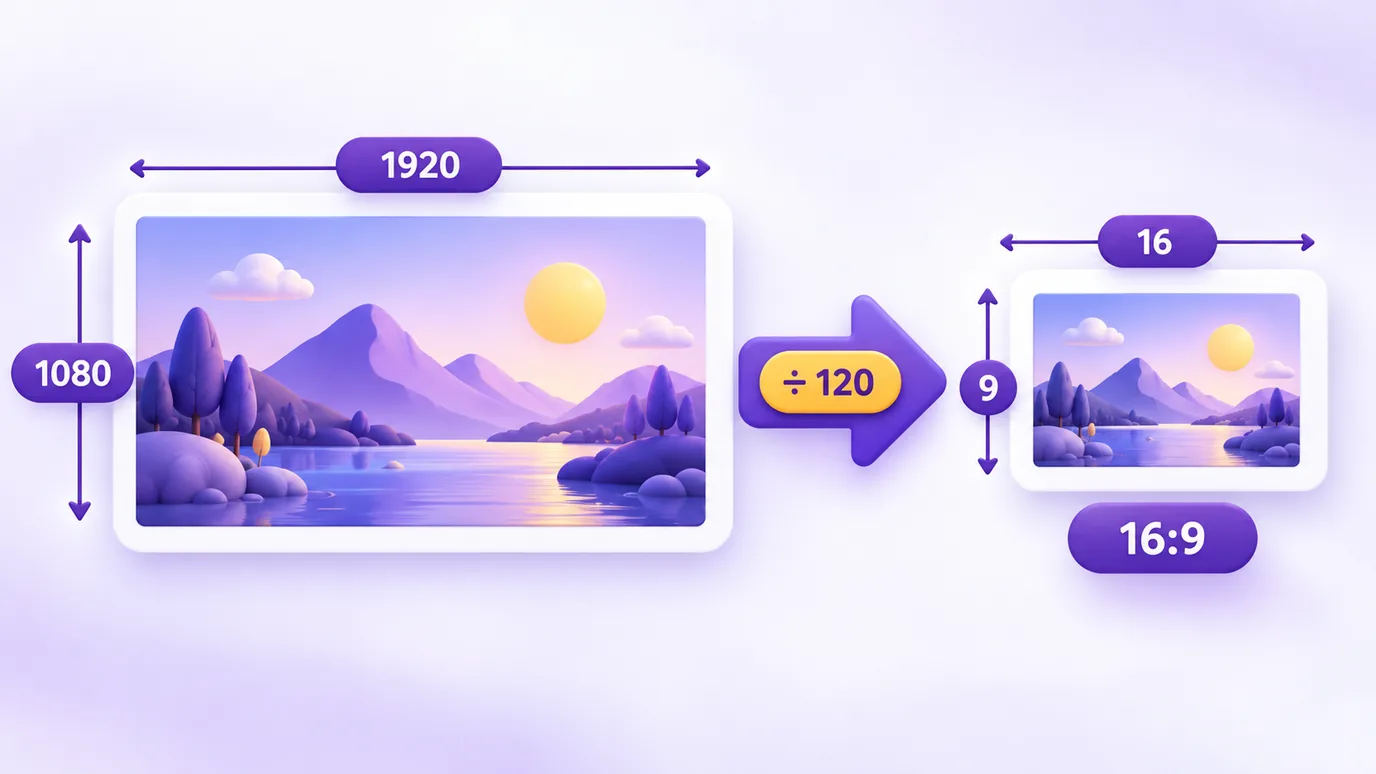
The aspect ratio is the relationship between the width and the height of the image, written as width:height. A 1920 × 1080 px image has a 16:9 ratio, because 1920 and 1080 simplify to 16 and 9. Images of different sizes can share the same ratio.
Aspect ratio is not resolution: resolution says how many pixels the image has; the ratio says the shape of the rectangle.
Most common aspect ratios
- 1:1: square, common in profile pictures and posts.
- 4:5: a light portrait; it is the Instagram feed ratio in Meta specifications.
- 3:4 and 4:3: traditional camera and phone photo shapes (3:4 portrait, 4:3 landscape).
- 3:2: the classic photo camera format.
- 16:9: video and computer and TV screens.
- 9:16: full-screen vertical; it is the Stories and Reels ratio in Meta specifications.
- 21:9 and 2:1: wide formats, used in banners and ultrawide screens.
How to calculate the aspect ratio
- Write down the width and the height in pixels.
- Divide both by the largest number that divides both (the greatest common divisor).
- The result is the ratio. Example: 1920 × 1080, divided by 120, gives 16:9.
How to work out the height (or width) keeping the ratio
To find the new height, multiply the new width by the original height and divide by the original width. Example: from 1920 × 1080 to a width of 1280, the height is 1280 × 1080 ÷ 1920 = 720.
The tool does this both ways and rounds to the nearest whole pixel.
Changing the ratio means cropping, not stretching
To turn a 16:9 image into 4:5 without distorting it, you need to crop (lose parts of the edges) or add margin. Stretching the image distorts the content.
The "largest crop" shows the largest rectangle with the ratio you want that fits inside your image, without enlarging. To apply the crop to the image itself, use the aspect ratio tool.
What this tool does not do
- It does not receive or change files: it only calculates measurements. To adjust the image, use the aspect ratio and resize tools.
- It does not calculate in inches, centimeters or DPI: it works in pixels.
- It rounds to whole pixels: for ratios that do not produce a whole number, the result can differ by 1 px.
Frequently asked questions about image aspect ratio
How do I calculate the aspect ratio of an image?
To calculate the aspect ratio of an image, divide the width and the height by their greatest common divisor. In the tool, just type the width and height in pixels and the ratio appears right away, such as 16:9.
What is the aspect ratio of 1920 × 1080?
The aspect ratio of 1920 × 1080 is 16:9, because 1920 and 1080 simplify to 16 and 9. It is the standard ratio for video and computer screens.
What is the aspect ratio of 1080 × 1350?
The aspect ratio of 1080 × 1350 is 4:5, the Instagram feed ratio in Meta specifications.
How do I calculate the height of an image keeping the aspect ratio?
Multiply the new width by the original height and divide by the original width. The tool does it when you type the new width (or the new height) in the second block.
What is an aspect ratio?
An aspect ratio is the relationship between the width and the height of an image, written as width:height (for example, 16:9).
What is the difference between aspect ratio and image resolution?
Resolution is the number of pixels (for example, 1920 × 1080). The aspect ratio is the shape of the rectangle (16:9). Images with different resolutions can have the same aspect ratio.
How do I change the aspect ratio of an image without distorting it?
You need to crop the image to the ratio you want (losing parts of the edges) or add margin. The "Crop to another aspect ratio" block shows the largest crop that fits in your image without enlarging.
Why does the result say "very close to 16:9" instead of 16:9?
Because the simplified measurement is not exactly 16:9. That is common on screens and images such as 1366 × 768. The tool shows the exact ratio (683:384 in that case) and tells you when it is very close to a common ratio.
Which aspect ratio should I use for Stories and Reels?
In Meta specifications, Stories and Reels use 9:16 (full-screen vertical, such as 1080 × 1920 px). The feed uses 4:5.
Is my image uploaded to a server?
No. The calculator does not receive files: you type measurements and the calculation runs in your browser.
After you calculate the ratio
In your browser, without uploading the files, you can also:
- change the aspect ratio of the image (crop to 1:1, 4:5, 16:9)
- resize the image by pixels, percentage or for a platform
- convert the image between JPG, PNG and WebP
More free tools
All of them run in your browser, with no sign-up and without uploading your files:
- WhatsApp Link Generator: Create wa.me links with a pre-filled message and use them on your site, Instagram or ads.
- QR Code Generator: Create QR codes for links, WhatsApp, Instagram, Google Reviews, contacts and other destinations.
- Spin-the-wheel prize calculator: Find out which prizes to put on your spin-the-wheel, based on your vertical, average order value and goal.
- Image converter: Convert images between JPG, PNG and WebP without changing the size in pixels, with adjustable quality and ZIP download.
- Image to PDF: Combine one or several images into a single PDF, one per page, in the order you choose.