
What is a WhatsApp link?
A WhatsApp link is an address that lets a user open a conversation through WhatsApp without manually creating a new chat.
The official click-to-chat format uses wa.me followed by a phone number in international format.
You can also add a pre-filled message to the link. When the link is opened, WhatsApp displays that message in the chat field so the user can review it before sending.
This is useful for businesses that want to make WhatsApp contact easier from websites, product pages, social profiles, ads, emails, printed materials and QR Codes.
The WhatsApp link generator above creates the link for you instead of requiring you to build the URL manually.
How to create a WhatsApp link
Choose the type of link you want to create.
Link to a specific phone number
Select the country, enter the phone number and optionally add a pre-filled message. The generator creates the corresponding wa.me link. You can type the number the way you usually write it, with spaces, brackets or dashes; the tool builds the international format.
Link with a message only
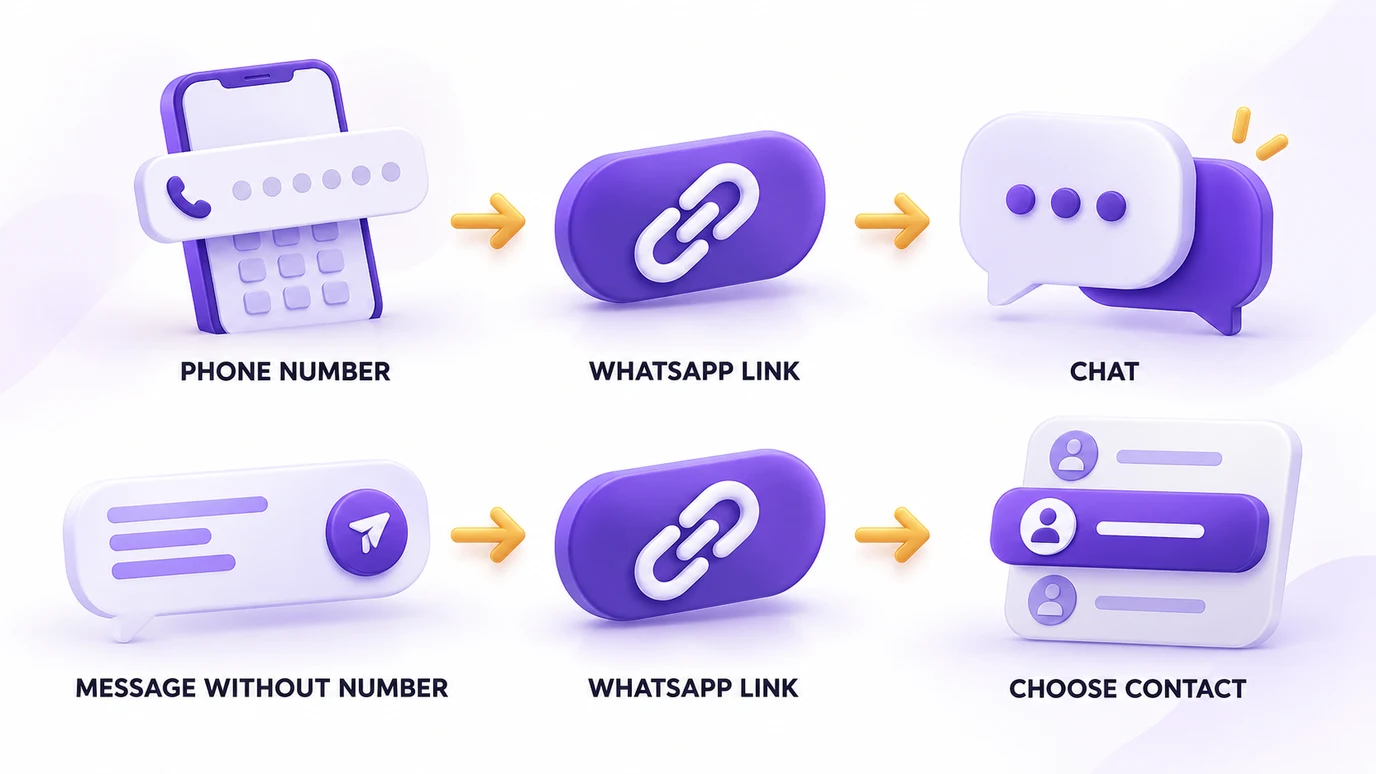
There is also a format without a phone number, designed to share a message (for example, in a share-on-WhatsApp button or a friend referral). It uses:
https://wa.me/?text=urlencodedtext
When the link is opened, WhatsApp lets the user choose a contact to send the pre-filled message to (source: WhatsApp Help Center).
Add a pre-filled message
A message is optional. For example:
Hello! I found you through your website and would like to learn more about this product.
The generator URL-encodes the message automatically so that spaces, accents, emojis and other characters work correctly inside the URL.
Generate and test the link
After generating the link, you can copy it, open it to test the result, generate a QR Code or share it.
How does a wa.me link work?
The basic format is:
https://wa.me/number
The number must be in full international format. According to WhatsApp's official documentation, it should not include leading zeros, plus signs, brackets or dashes (source).
A pre-filled message can be added with the text parameter:
https://wa.me/number?text=urlencodedtext
The message must be URL-encoded. You do not need to do this manually: the generator handles the encoding.
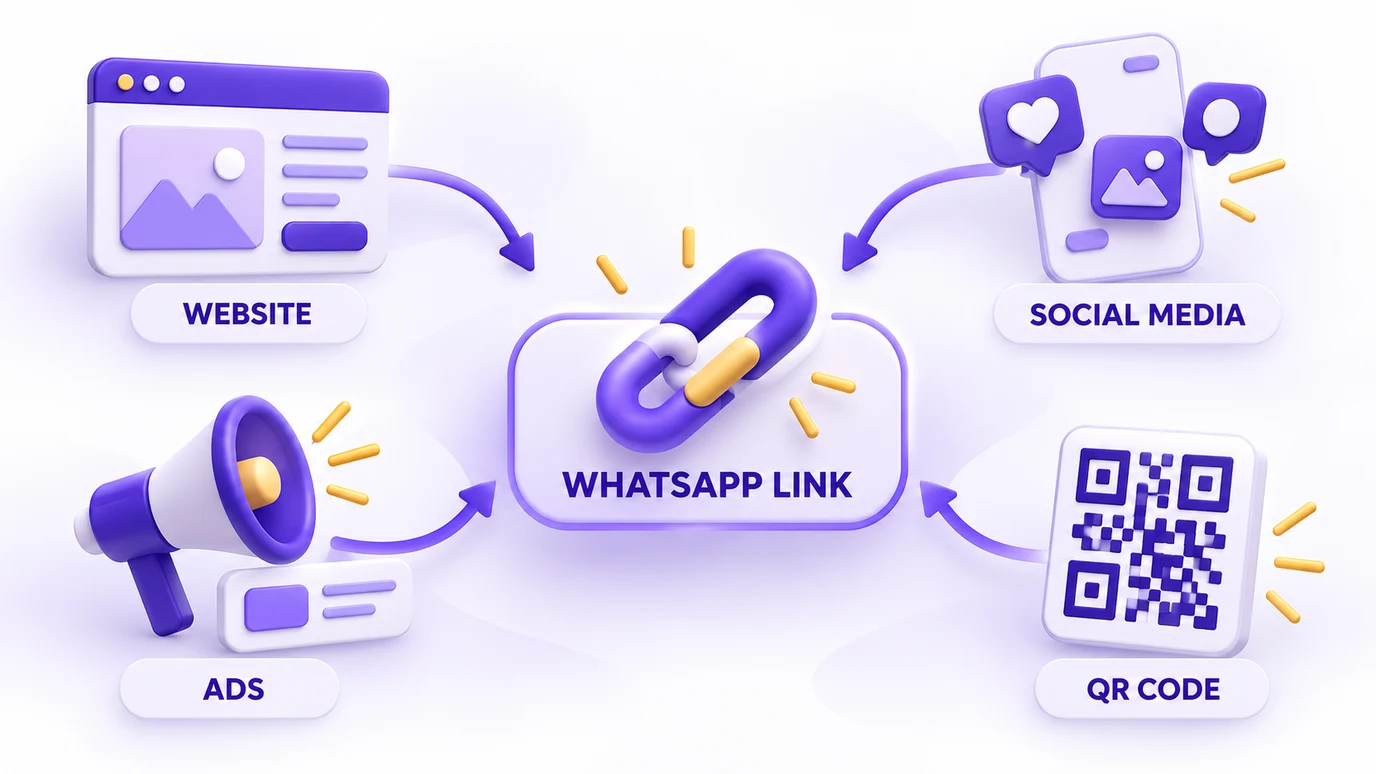
Where can you use a WhatsApp link?
A WhatsApp link is useful anywhere you want to make a conversation easier to start.
On a website
In contact sections, product pages, landing pages, buttons or text links.
On social media
Wherever the platform allows a clickable link, such as a profile.
In advertising
When the campaign format and objective support directing users to a conversation.
In printed materials
Turn the link into a QR Code for packaging, displays, cards, flyers or other offline materials.
In email
Add the link to a text or to a generic HTML link so users can start a conversation.
How to create a WhatsApp QR Code
Generate your WhatsApp link first, then create the QR Code from the result. In the tool you choose the size, check the preview and download the QR Code as PNG or SVG.
A QR Code is especially useful when the link will appear somewhere users cannot click directly. Always test the final QR Code before printing it.
How to add a WhatsApp link to a website
You can use the generated URL as a regular HTML link. The tool generates ready-made widgets, with a preview, to copy and paste into your site. If you prefer a plain text link, the code is:
<a href="https://wa.me/NUMBER">Talk to us on WhatsApp</a>
The widgets (floating button, button with a message bubble and an icon for contact sections) use the official WhatsApp icon, unmodified and embedded in the code. WhatsApp also provides a branded "Chat on WhatsApp" button, which must be used without modification and is currently available only in English (source).
What to put in the pre-filled message
Keep the opening message short and relevant to the context where the link appears. A simple structure is: greeting, context and intention.
Hello! I found this product on your website and would like to learn more.
Different pages can use different messages: a product page might identify the product, a support page might explain the reason for contact and an advertising campaign might use a message related to the offer. The message should help the user start the conversation, not replace it.
Common WhatsApp link mistakes
Using the phone's visual formatting
A phone number may normally be displayed with spaces, brackets or dashes. Those characters should not be part of the wa.me number.
Keeping the plus sign
The international number in the wa.me format does not use the + sign.
Keeping leading zeros
Leading zeros should be omitted from the international-format number.
Forgetting URL encoding
A pre-filled message must be URL-encoded.
Not testing the result
Open the generated link before publishing it. For QR Codes, scan the final code with a phone before printing it.
FAQ
What is a WhatsApp link?
It is a URL that opens a WhatsApp conversation without the user having to create the chat manually. The official format uses wa.me followed by the number in international format.
How do I create a WhatsApp link?
Select the country, enter the phone number and optionally add a message. The generator creates the link automatically.
How do I create a WhatsApp link with a message?
Add a pre-filled message before generating the link. The tool URL-encodes it automatically.
How do I make a wa.me link?
Use https://wa.me/ followed by the full phone number in international format, without leading zeros, plus signs, brackets or dashes.
Can I create a WhatsApp link without a phone number?
Yes. Use the message-only format https://wa.me/?text=urlencodedtext. WhatsApp then lets the user choose the contact.
Can I use a WhatsApp link on my website?
Yes. Add the generated URL to a regular HTML link or another clickable element on your website.
Can I use a WhatsApp link on social media?
Yes, wherever the platform supports the type of clickable link you want to use.
How do I create a WhatsApp QR Code?
Generate the link and then create the QR Code from the result. You can download it as PNG or SVG.
Does the link work on desktop?
WhatsApp's official click-to-chat documentation states that click to chat works on both phones and WhatsApp Web.
Do I need to save the phone number?
No. WhatsApp's click-to-chat feature is designed to start a chat without having the number saved in the phone's address book.
Does the link send the message automatically?
No. It pre-fills the message field. The user still decides whether to send it.
Can I create a link for a number in another country?
Yes. Select the corresponding country and enter the number.
Does the generator check whether the number has WhatsApp?
No. It validates the number format for the selected country, not whether an active WhatsApp account exists.
Do I need an account to use the generator?
No. The tool works directly in your browser, with no registration.
Is my phone number sent to a server?
No. The tool processes the number and message in your browser and does not send or store them on a Popconvert server, nor include them in analytics events.
Can I share the generated link or the tool?
Yes. You can copy or share the generated link, and you can also share the tool page so another user can create their own link.
Is a WhatsApp link the same as capturing a visitor's WhatsApp number?
No. A WhatsApp link makes it easier for a user to start a conversation with your business. Capturing a visitor's WhatsApp number is a different problem: turning a website visit into a contact your business can follow up with later.
If the goal is to get more visitors to leave their WhatsApp number on your online store, the strategy is different from providing a link. Popconvert works on that step, with gamified experiences that encourage visitors to share their details. Learn more in how to capture visitors' WhatsApp numbers in your online store (article in Portuguese).