
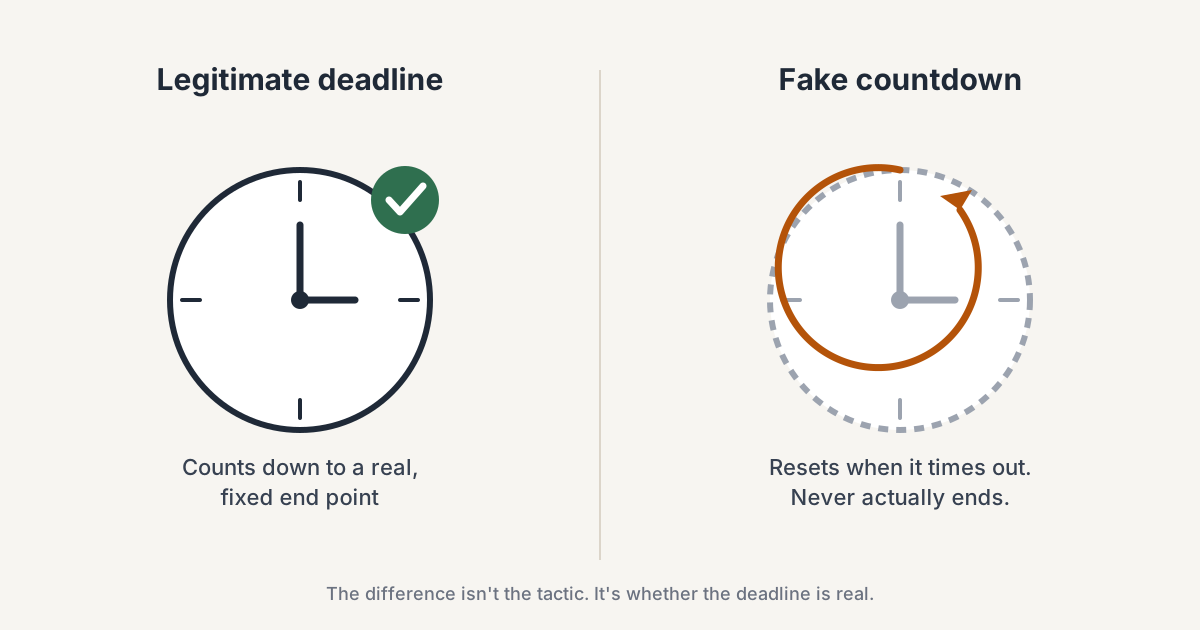
A limited-time offer works because it gives the shopper a reason to decide now instead of putting the purchase off until later. But that only works when the deadline means something. A sale that ends at midnight, a shipping cutoff that really passes, or a coupon that expires after a defined window creates a decision the shopper can understand. A countdown that resets tomorrow creates a different message: the deadline was never real in the first place.
That distinction matters because urgency is built on trust. Once shoppers learn that a "last chance" message can quietly become another week-long promotion, the next deadline has less credibility too. The examples below look at where genuine urgency comes from, how to represent it without misleading shoppers, and what changes when the deadline is attached to an action the visitor has just taken.
What Is a Limited-Time Offer?
A limited-time offer is a discount, deal, or incentive with a defined end condition: a specific time, a specific date, or a genuine inventory limit. The important part is that the shopper can understand when the opportunity disappears.
A 15% discount with no expiration is simply a price. Give that same discount a real end date, and the shopper now has a decision to make: buy within the promotion window or accept that the offer may no longer be available afterward.
The deadline, in other words, is what turns an ordinary promotion into a time-sensitive one.
Limited-Time Offer Examples in Ecommerce
The source of the deadline can change even when the principle stays the same. A promotion may expire because a sale window closes, because a calendar event ends, because an operational cutoff passes, or because the customer has just earned a reward with a defined validity period.
These are illustrative, hypothetical scenarios — not case studies or reported results — showing how the source of the deadline changes the way urgency should be presented:
- Flash sale. A home-goods store runs a 6-hour flash sale offering 20% off one category, announced through a single email and an on-site banner that disappears when the 6 hours are up.
- Seasonal countdown. A skincare brand's Black Friday countdown works because the calendar itself supplies the deadline: the sale is genuinely tied to a date that ends, not a banner that quietly resets into December.
- Free-shipping deadline. An apparel store offers free shipping on orders placed in the next 2 hours, timed to that day's actual warehouse pickup cutoff. The deadline maps to something operationally real, not a marketing trick.
- Pre-order window. A gadget brand opens pre-orders at a discount before the official launch date, with the incentive ending when the pre-order window closes.
- Post-interaction coupon. A visitor plays a short on-site game and wins a coupon, then sees a countdown for how long that specific coupon stays valid — say, 30 minutes — rather than a generic site-wide timer. The urgency attaches to something the visitor just did, not to every visitor who lands on the homepage.
The last example is different because the deadline does not exist independently of the shopper's action. The visitor has already completed something to earn the coupon. The countdown is therefore not creating a reason to interact with the store from scratch; it is giving a clear expiration point to a reward the visitor already received.
That distinction becomes important later, because an interaction-based deadline can be useful precisely when a generic site-wide countdown would feel artificial.
Why FOMO and Urgency Work — and Where They Break Down
FOMO is often described as fear of missing out. In ecommerce, a limited-time offer gives that feeling a concrete trigger: the shopper knows the opportunity has an end point. Without that boundary, the same purchase can feel easier to postpone.
The problem is that urgency only works while the deadline is credible. A countdown that resets after it reaches zero, or a "flash sale" that remains unchanged for weeks, turns the deadline into decoration. The shopper may still see the message, but the deadline no longer gives them a credible reason to act now rather than later.
The post-interaction coupon works differently. The visitor has already taken an action and received a reward. The countdown does not have to manufacture a reason to engage; it simply tells the visitor how long that reward remains valid. That is a much narrower and more concrete job for a countdown.
Legitimate Urgency vs. Fake Scarcity
This is a part most ecommerce guides only touch on briefly, if at all, and it's not just an ethics question. It's a regulatory one. The FTC's September 2022 staff report, Bringing Dark Patterns to Light, names specific patterns in this territory, under FTC Act Section 5's general prohibition on unfair or deceptive practices:
- "Baseless Countdown Timer" — a countdown clock that pressures a shopper to buy immediately but, in the report's own words, "just goes away or resets when it times out," instead of counting down to a deadline that's actually real.
- "Demand claim" — a message implying demand is higher than it actually is. The report's own example: "20 other shoppers have this item in their cart."
None of this means merchants need to avoid urgency. It means the message shown to the shopper should correspond to the condition that actually ends the offer.
If a promotion ends Friday at midnight, the countdown should reach zero on Friday at midnight. If a coupon is valid for 30 minutes after it is earned, the displayed window should match that validity. The problem is not the countdown itself; it is presenting a deadline that does not exist.
How to Implement a Limited-Time Offer Without Losing Trust
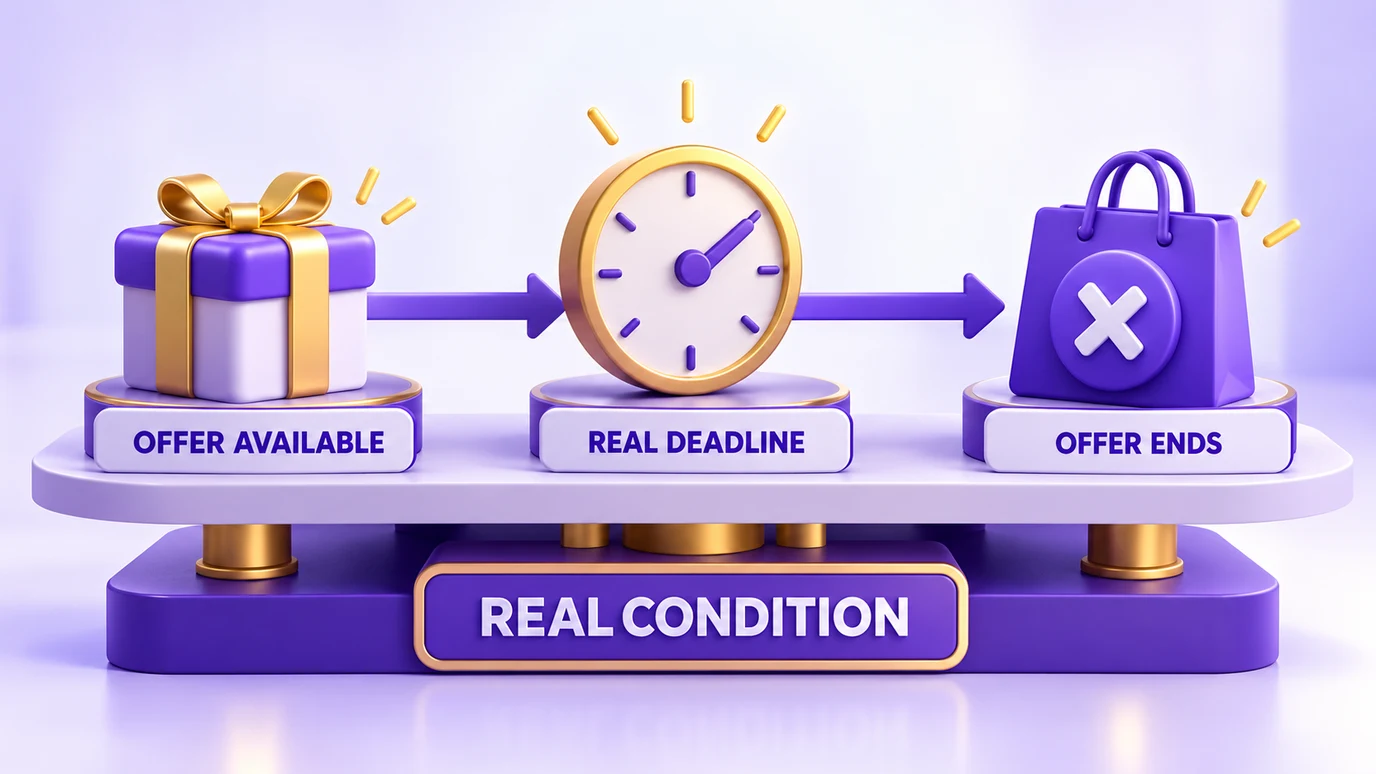
- Define the real deadline first. Decide when the offer actually ends — or what genuine inventory condition ends it — before creating the countdown or promotional message. The display should communicate the rule that already exists, not create a fictional one.
- Show the message at a moment when it makes sense. A real deadline does not mean every visitor needs to see the message immediately. In Popconvert, campaigns can be triggered by Exit Intent, Time on page, Pages Visited, Scroll, or a specific HTML event/CSS selector. The documented recommendation is to use 1–2 triggers per campaign rather than stacking several conditions that can make the campaign appear less often.
- Keep an earned coupon's countdown aligned with its actual validity. Popconvert's FOMO Bar can appear after a visitor completes an interactive campaign and wins a reward, showing the remaining time to use it. The countdown is configured manually in the campaign's Design settings rather than being automatically synchronized with a live expiration system. That means the merchant must set the displayed window to match the real validity configured for the reward in Rewards.
- Do not make urgency the background of the entire store. A countdown is more meaningful when it marks a specific promotion, event or earned reward. If every visitor sees a timer on every visit, the message stops signaling that something is genuinely ending.
Common Mistakes to Avoid
- Deadline drift. If a "24-hour sale" is still running three days later, shoppers learn that the stated deadline does not actually determine when the offer ends.
- Fake scarcity counters. Messages such as "X people are viewing this" or "only X left" should reflect a real condition rather than a static or randomized number. The FTC's report specifically identifies misleading demand and scarcity claims as dark-pattern concerns.
- Showing urgency at the wrong moment. A countdown shown after a visitor has already redeemed the offer, or when the promotion is no longer relevant to that shopper, creates confusion instead of urgency.
- Too many triggers competing for the same moment. A campaign does not necessarily become more effective because it has more conditions attached to it. In Popconvert, stacking Exit Intent, Time and Scroll triggers can make a campaign appear less often rather than reinforcing the message.
Where Popconvert Fits In
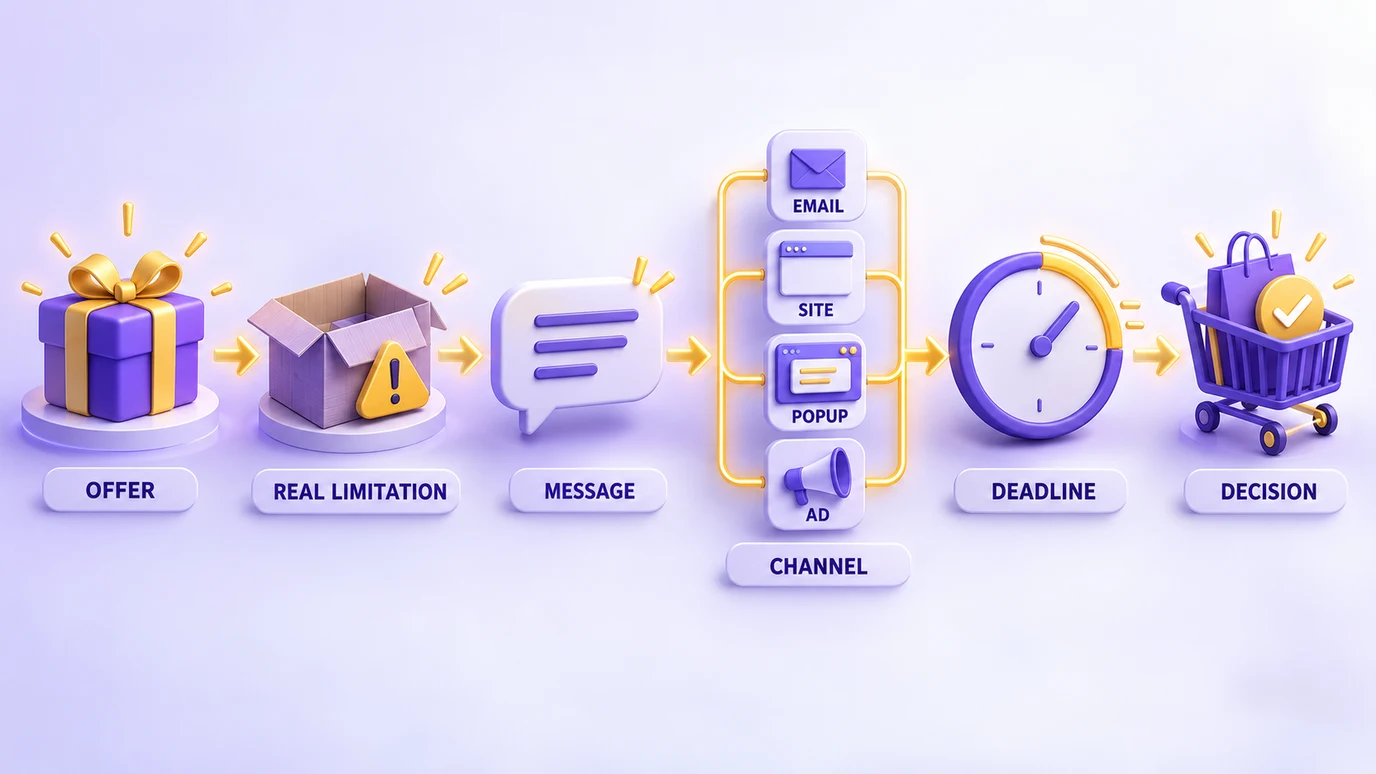
The post-interaction example above is where this approach becomes particularly useful. Instead of showing the same countdown to every visitor, a merchant can use an interactive campaign to create the offer first and then use Popconvert's FOMO Bar to show how long that earned reward remains available.
The campaign can be triggered by Exit Intent, Time on page, Pages Visited, Scroll, or a custom HTML event, allowing the interaction to happen at a specific moment in the visitor's journey. After the visitor completes the campaign and receives the reward, the FOMO Bar can keep the offer visible with its remaining validity.
There is one important implementation detail: the FOMO Bar countdown is configured manually rather than synchronized automatically with a live expiration system. The merchant therefore needs to set the displayed duration to match the actual validity of the coupon configured in Rewards.
In other words, the value is not the timer by itself. It is the combination of an action, a reward and a real deadline.
Conclusion
A good limited-time offer does not need to make the shopper panic. It needs to make the timing clear.
The strongest examples in this article all follow the same principle: the shopper can understand what is ending, when it ends, and what happens if they wait. That might be a sale closing at midnight, a shipping cutoff passing, a pre-order window ending, or a reward expiring after an interaction.
Urgency becomes useful when the deadline reflects a real change in availability. It becomes misleading when the deadline exists only as part of the design.
Want to see how a merchant-configured, interaction-based countdown works in practice? Check out Popconvert's plans or talk to our team to set up your first campaign.
FAQ
What makes an offer genuinely limited-time?
A limited-time offer has a real condition that determines when the opportunity ends. That can be a specific date or time, a genuine inventory limit, an operational cutoff, or a defined validity period for a reward. The important part is that the shopper can understand what ends and when it ends.
How long should a limited-time offer last?
There is no universal duration. The window should follow the condition that creates the deadline. A flash sale may last a few hours, while a seasonal promotion can follow the dates of the event. Define the window before the promotion starts and keep the announced deadline stable.
Can I create a limited-time offer without a seasonal event?
Yes. A store can define its own promotion window, such as an offer that runs from Monday through Friday, as long as the start and end conditions are genuine and communicated clearly. The deadline does not need to come from Black Friday or another calendar event. Another option is to attach the deadline to an action the visitor has already taken: if a visitor earns a coupon through an interactive campaign, the coupon can have a clearly stated validity window after it is won, and any countdown shown should match that real validity.
What is the difference between urgency and fake scarcity?
Urgency is based on a real reason to act before a deadline or availability condition changes. Fake scarcity presents a deadline, inventory level or demand signal that does not actually determine what the shopper can receive. A countdown that resets while the same offer continues is an example of misleading urgency; the FTC has specifically discussed this type of countdown in its dark-pattern report.
Should every ecommerce promotion use a countdown timer?
No. A countdown is useful when there is a real deadline that the timer can represent clearly. If there is no meaningful end condition, adding a timer can make the promotion feel artificial rather than more compelling.